Configured base interval
Updates follow the standard preset frequency, such as every two minutes.

Track vehicles and assets, monitor performance, protect temperature-sensitive cargo, automate maintenance, review safety events, and connect operational data—all through Fleet.Net.
Bring location, trips, alerts, sensors, diagnostics, maintenance, video events, and reporting into one shared environment for dispatch, safety, maintenance, and operations teams.
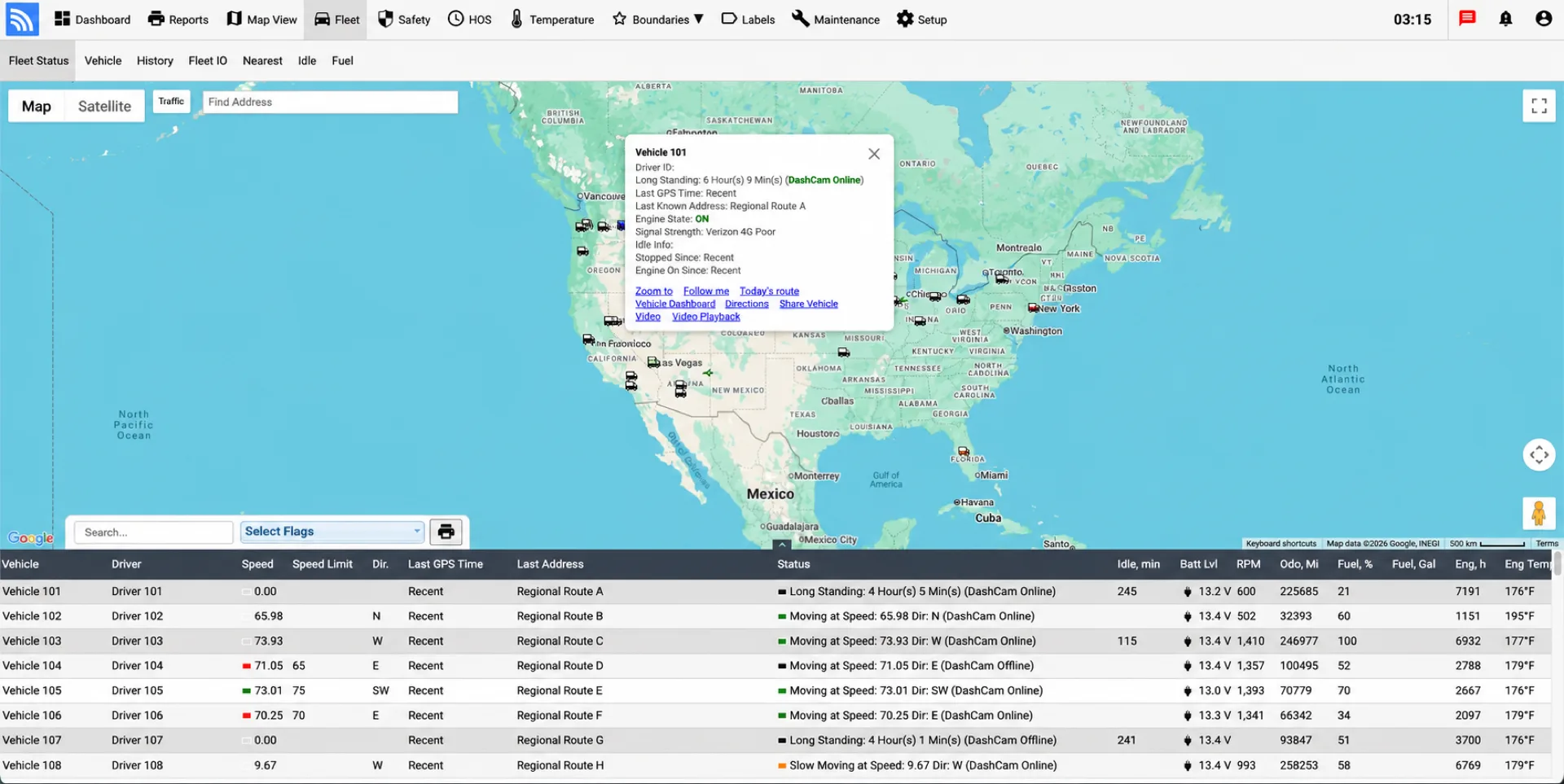
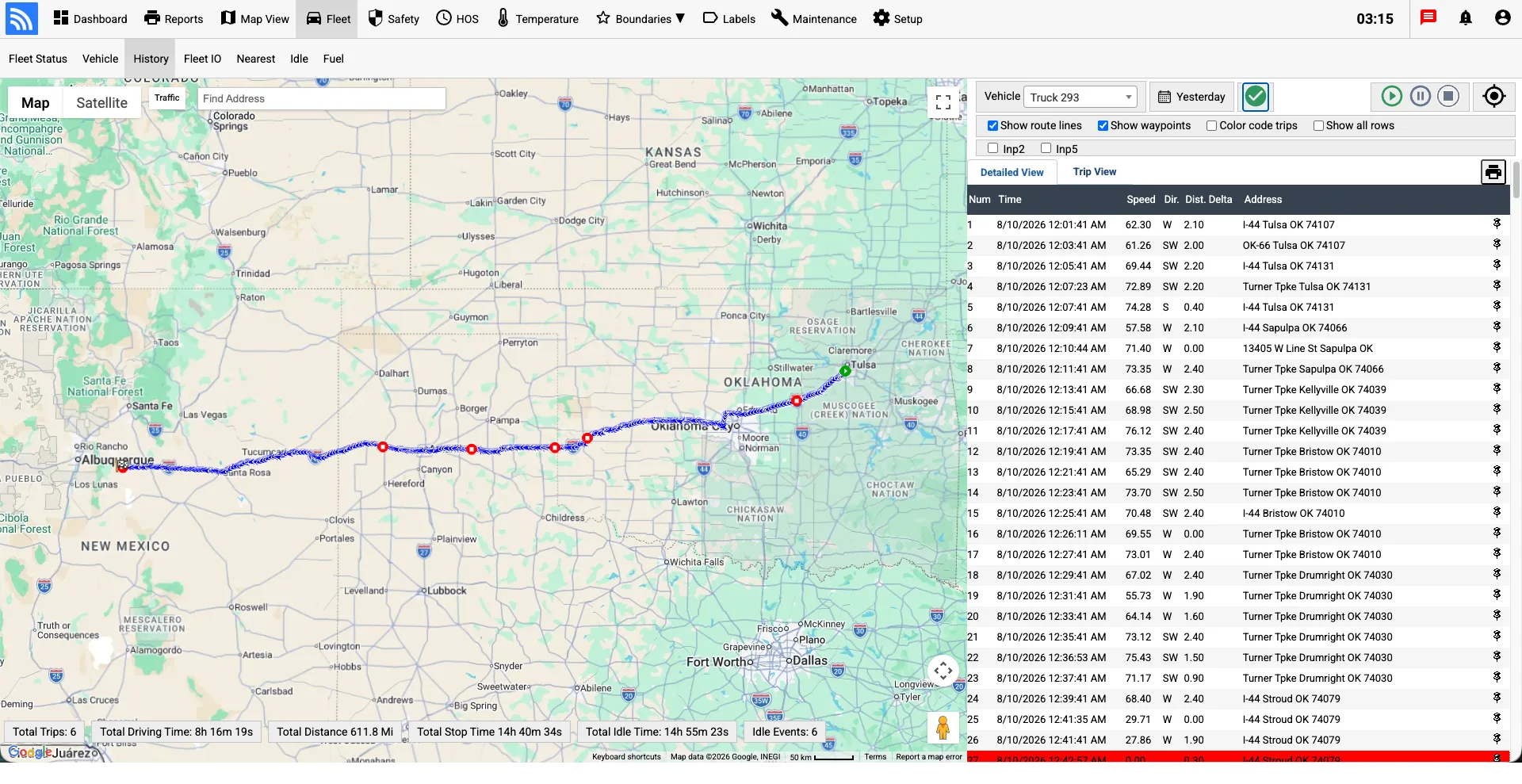
A vehicle’s latest position tells you where it is now. Its location history helps you understand the journey that brought it there.
Fleet.Net displays the reports received from the tracking device. With Piccolo’s adaptive reporting, additional points around bends and junctions help make completed journeys clearer on the map.
Updates follow the standard preset frequency, such as every two minutes.
The device reports more frequently to capture changes in direction and road shape.
Rapid updates provide additional points through turns, ramps, and intersections.
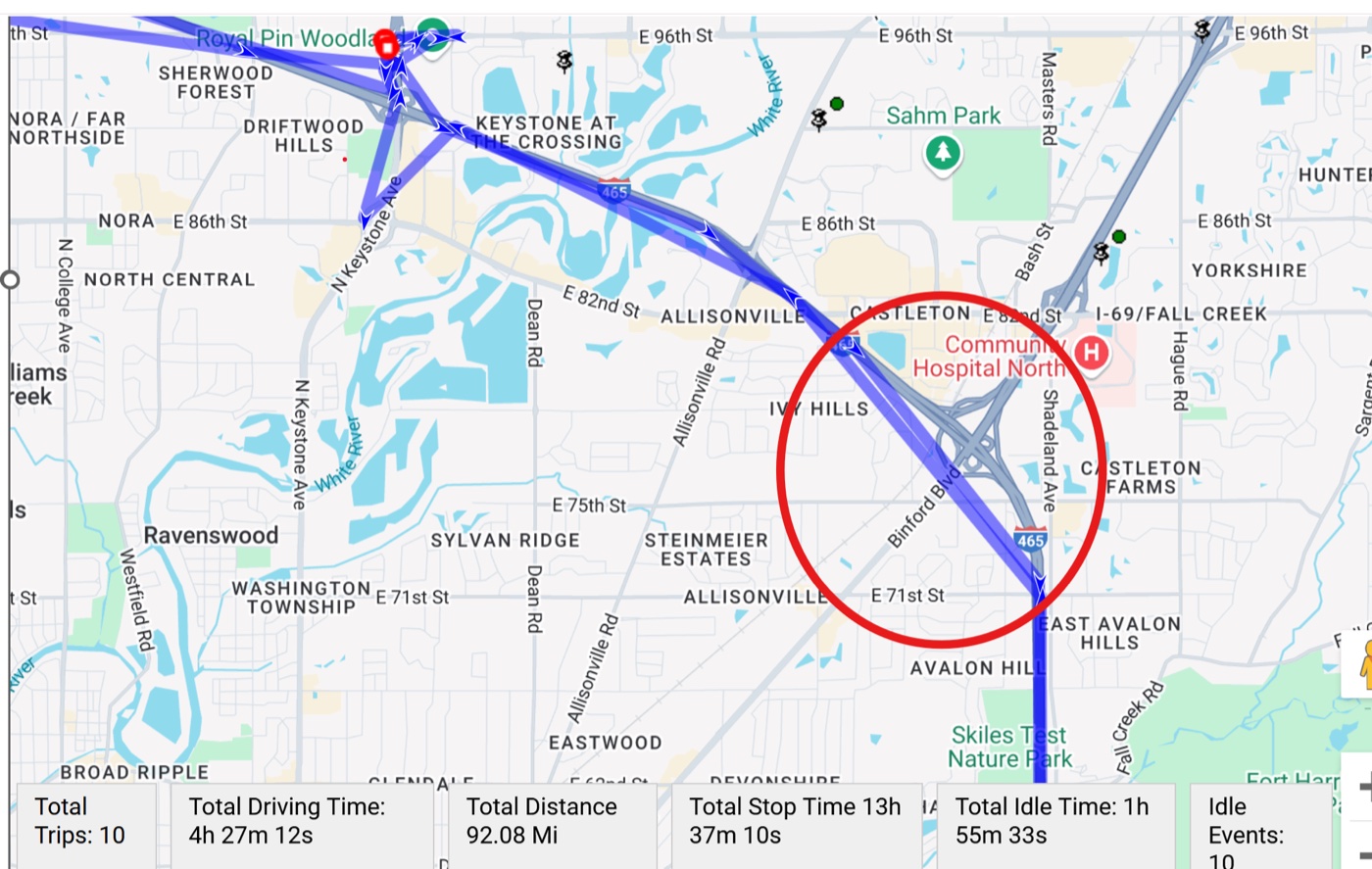
A trip drawn from widely separated reports may appear to cross buildings or neighboring roads.
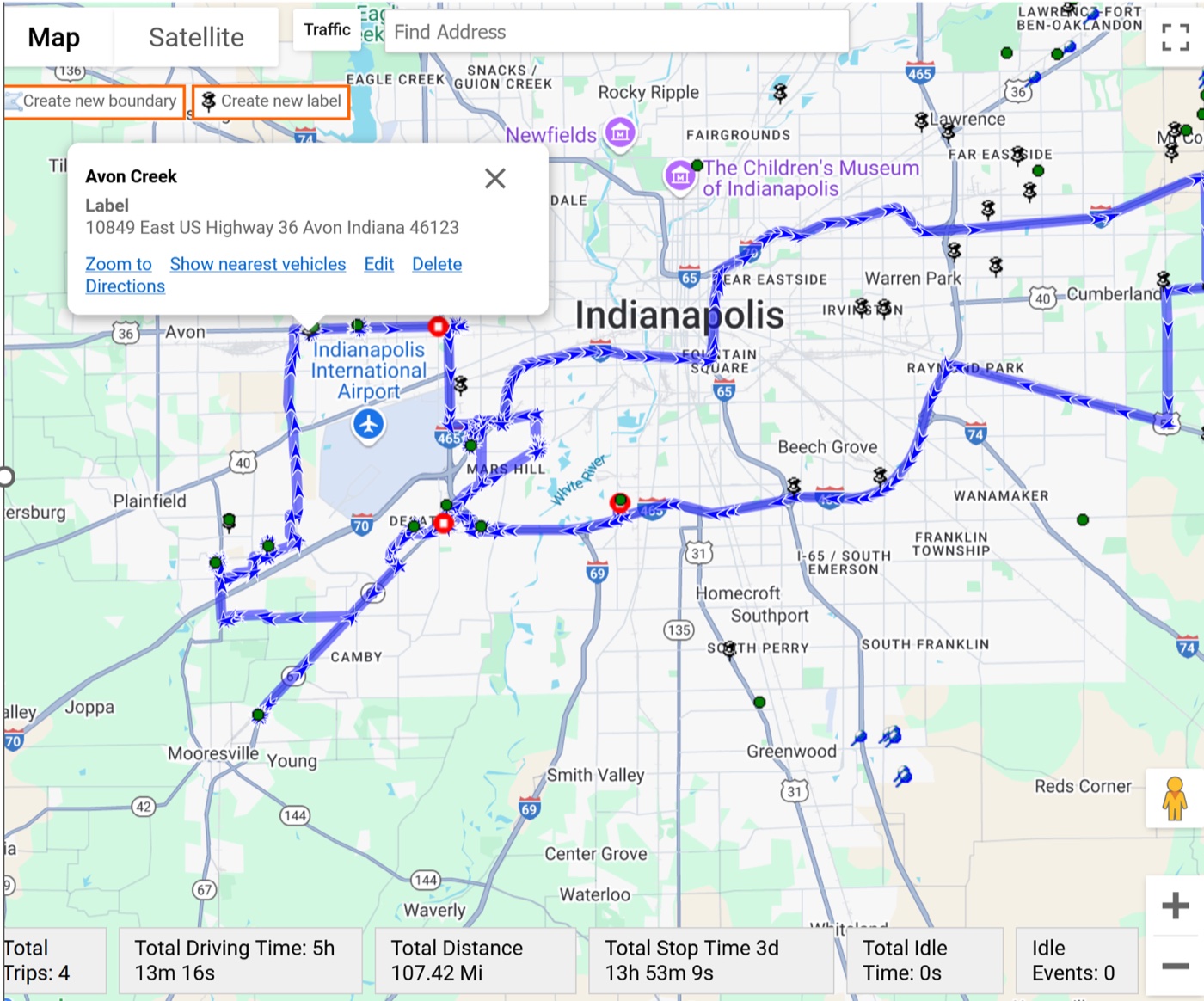
More closely spaced reports help the displayed route follow changes in the road.
Start with the capabilities your team needs today and expand as requirements evolve—from ELD, GPS tracking, and asset utilization to maintenance, safety, routing, temperature monitoring, student ridership, waste operations, connectivity, and integrations.
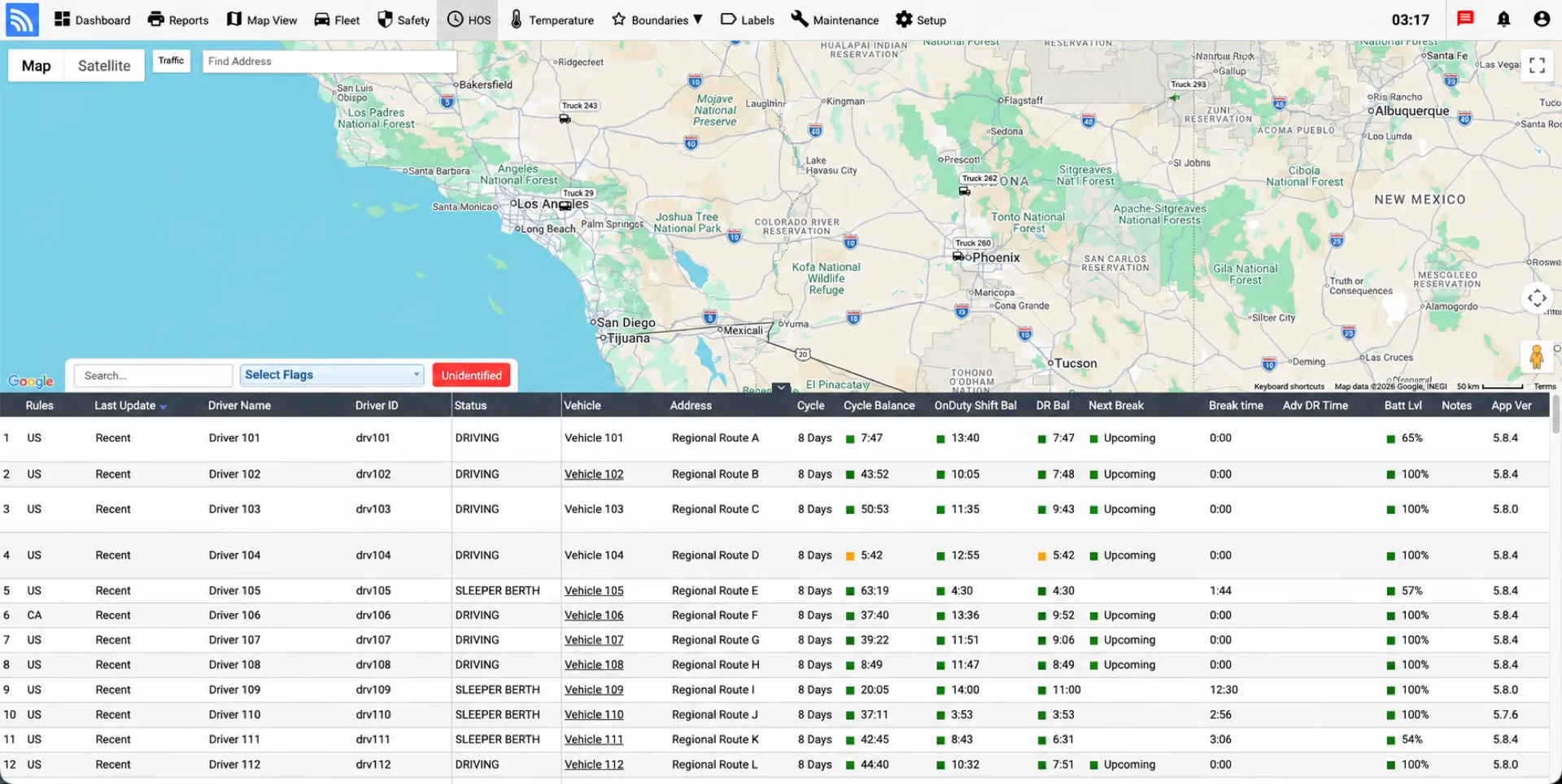
Connect electronic driver logs, hours-of-service status, vehicle data, inspections, and compliance workflows through DriverLog ELD and Fleet.Net.
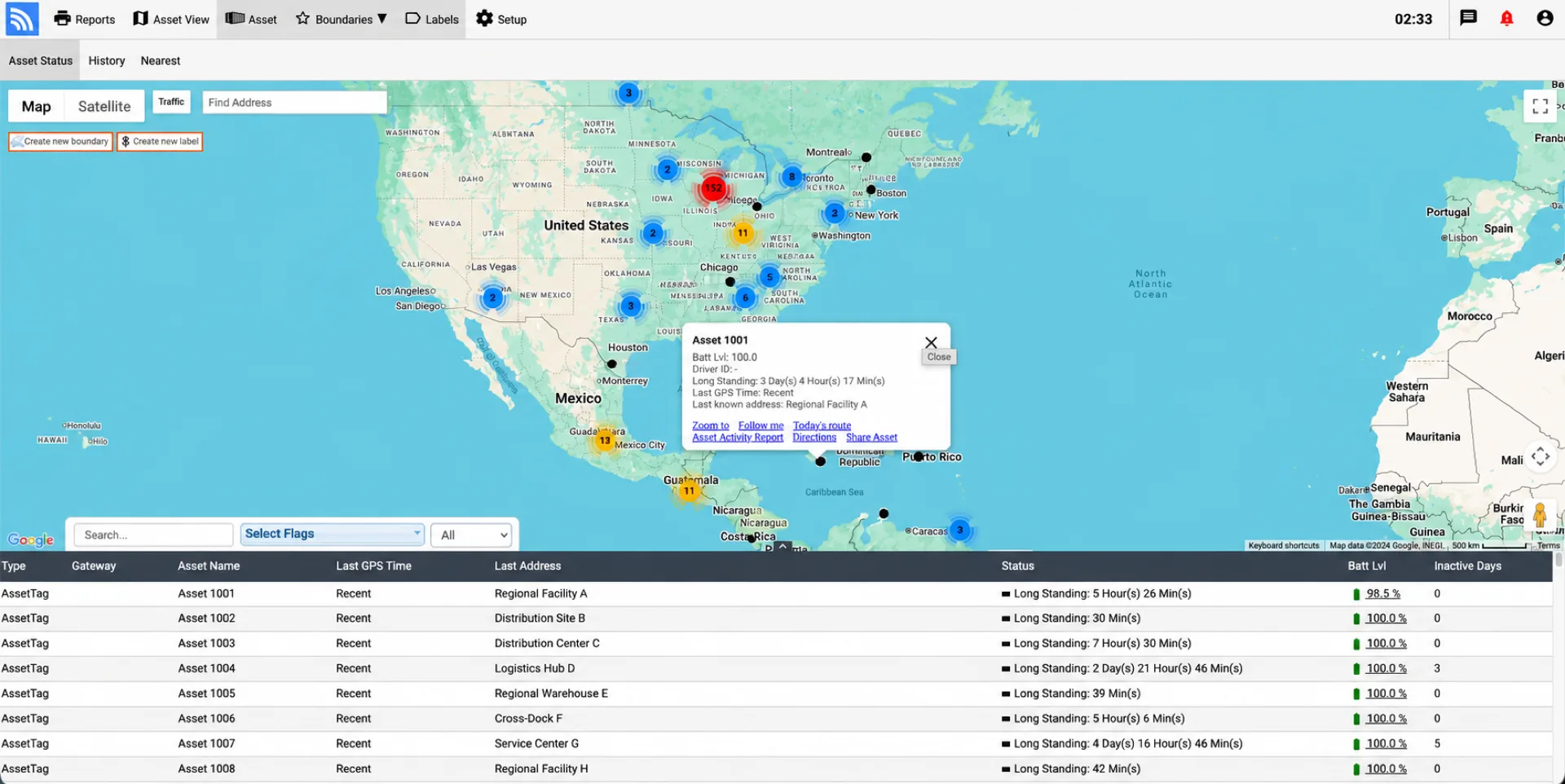
Complete visibility over unpowered trailers, shipping containers, heavy equipment, and pallets. Monitor idle times, dwell duration, and unauthorized movement with automated geofencing.
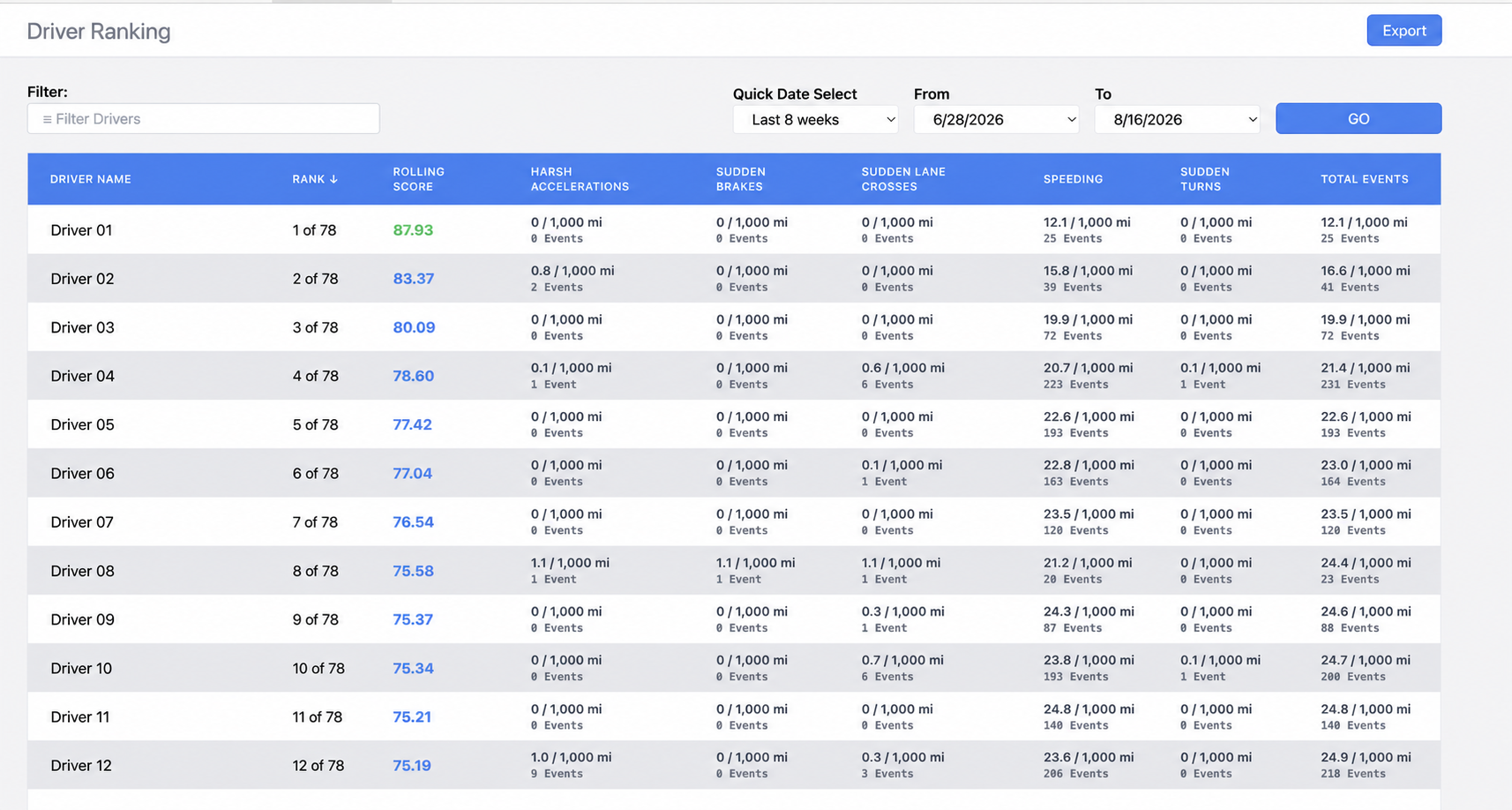
Improve fleet safety with automated driver risk scorecards. Combine real-time in-cab voice warnings with AI event verification for speeding, harsh braking, and cell phone usage.
Plan multi-stop routes, organize stops, share customer ETAs, and monitor route progress and exceptions.
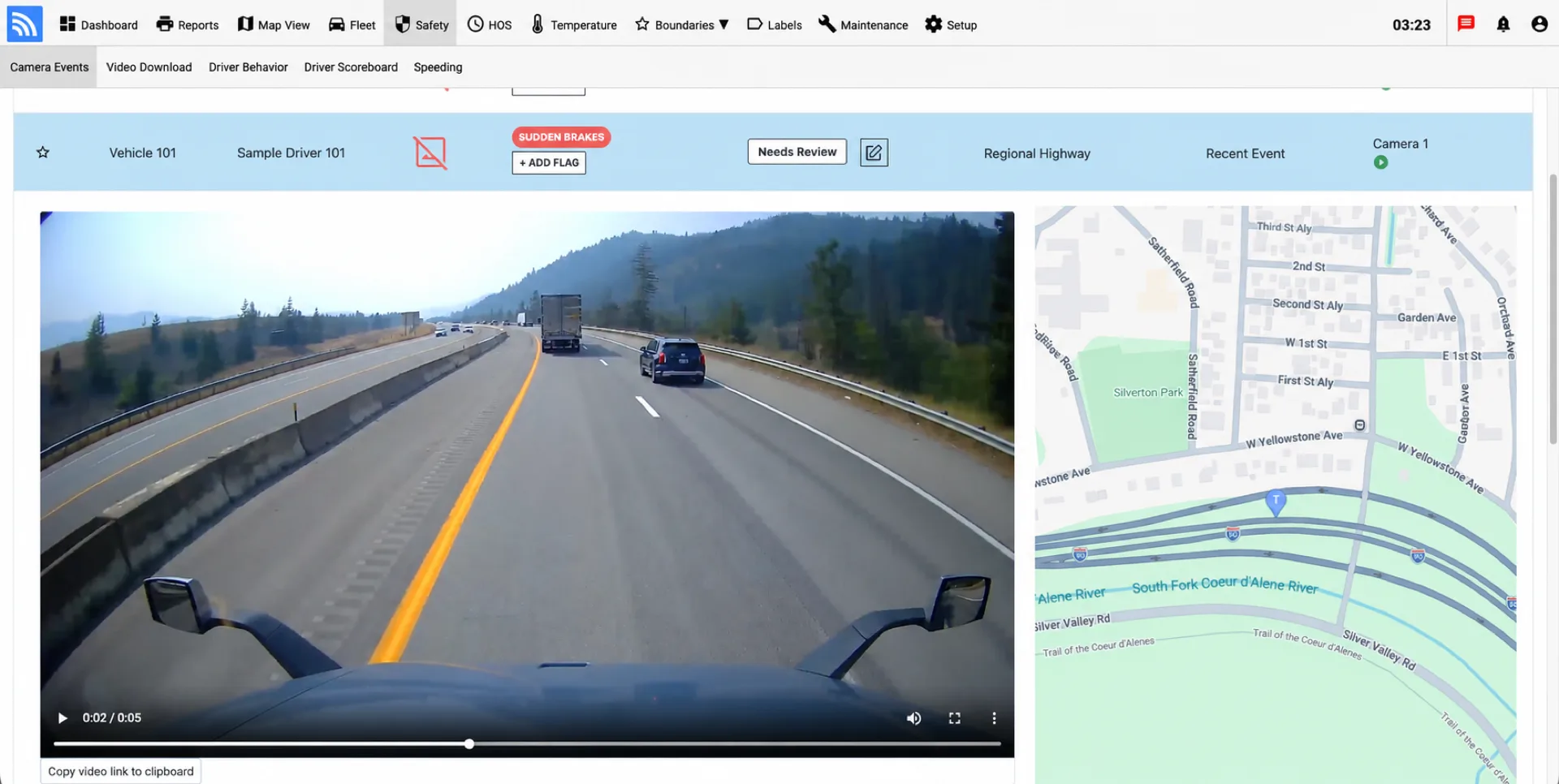
Protect drivers and defend against fraudulent claims with dual-facing AI dashcams, ADAS collision warnings, and instant cloud video retrieval for safety audits.
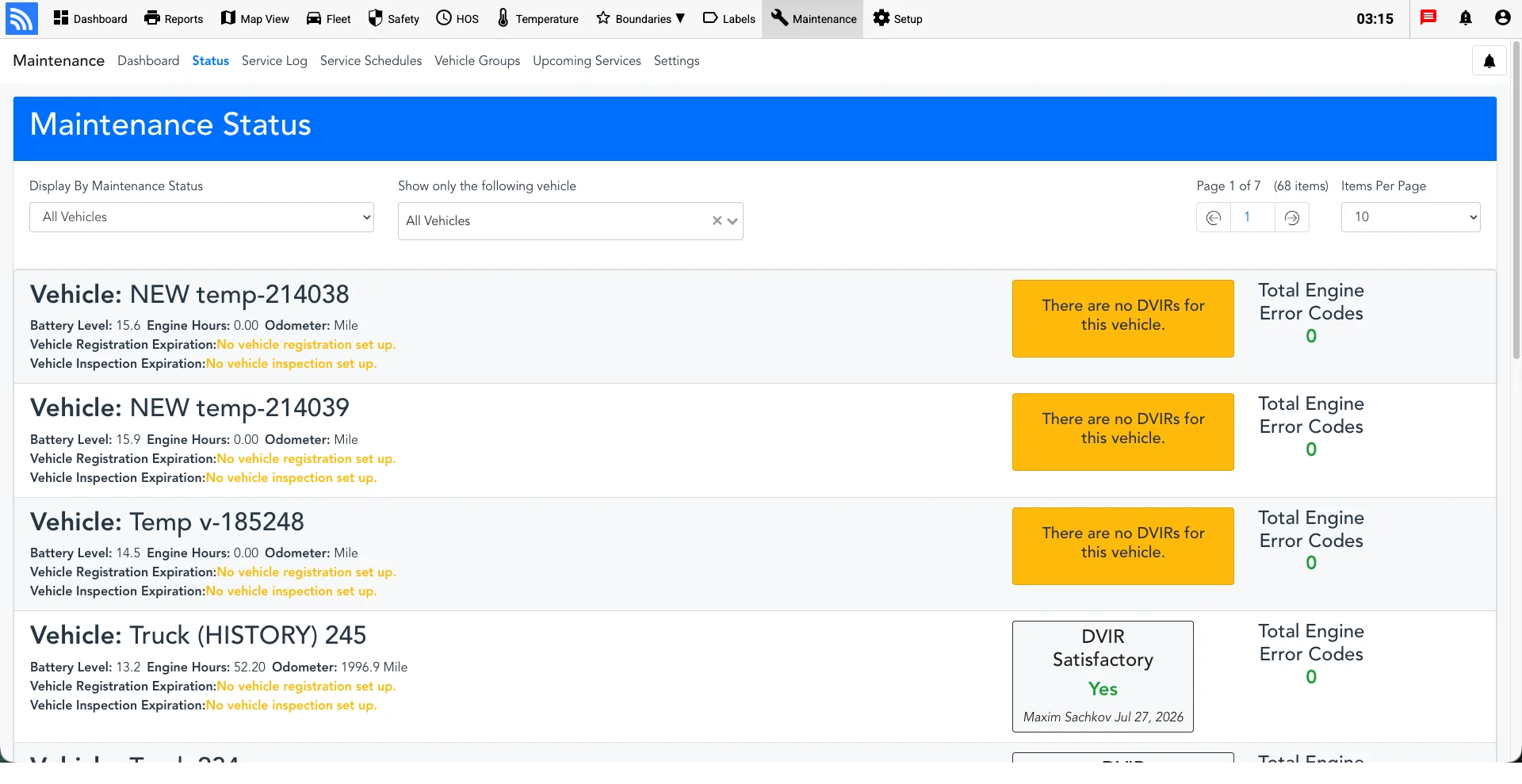
Automate preventive service tasks with direct J1939 CAN-bus engine diagnostic trouble codes (DTC). Track engine hours, mileage schedules, and digital DVIR logs.
Turn a driver’s phone into a mobile fleet tracker with GPS status, geofence and speeding alerts, trip history, reports, and two-way messaging with dispatch.
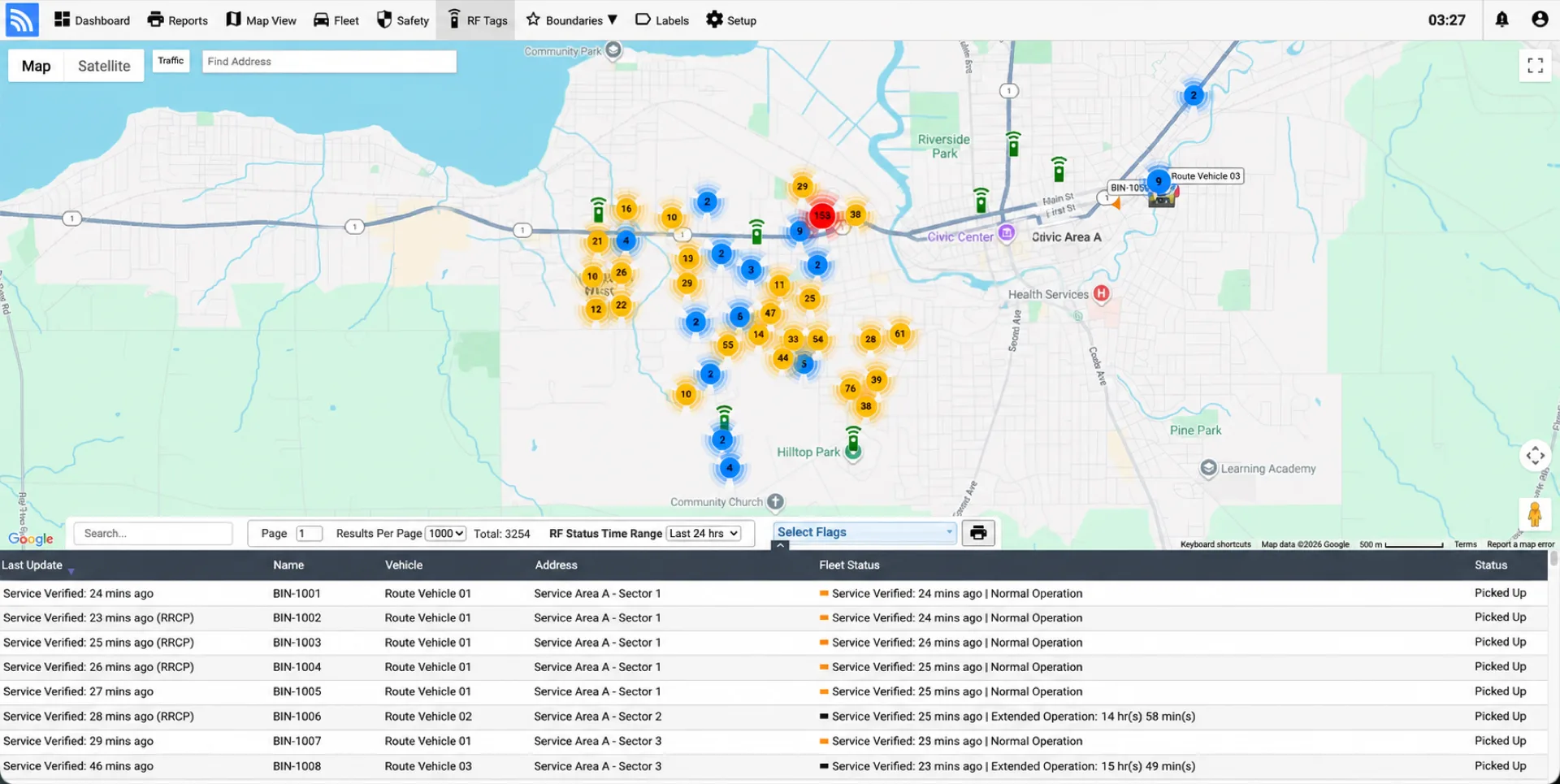
Connect collection vehicles, roll-offs, dumpsters, RFID service events, routes, cameras, diagnostics, and container visibility in one operational view.
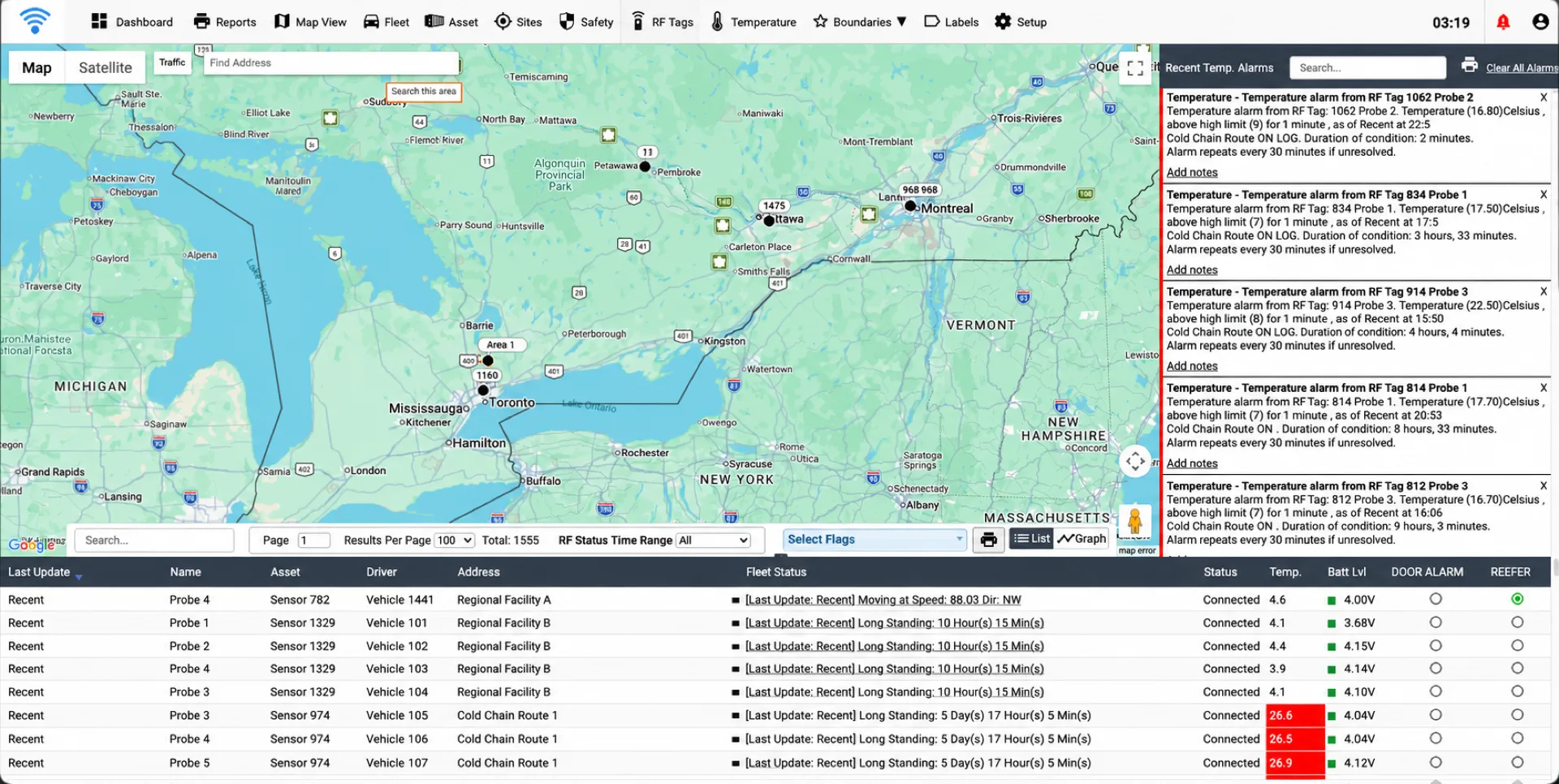
View temperature and location together, configure thresholds, receive excursion alerts, and maintain history for refrigerated vehicles, cargo, and facilities.
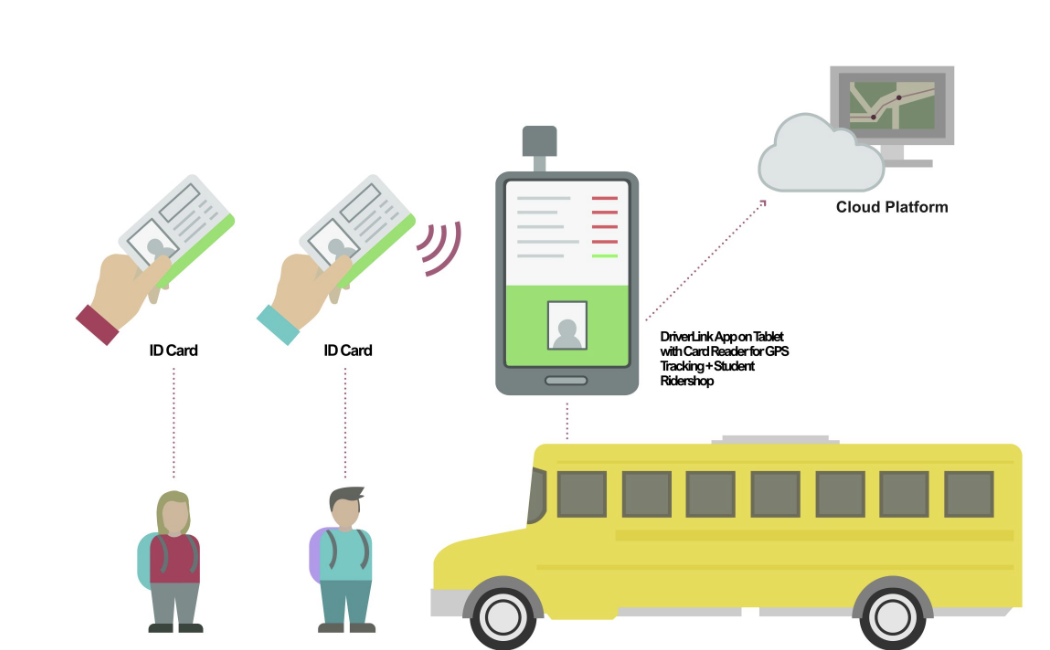
Combine school-bus location with active or passive student identification to record authorized boarding and drop-off events with time and location.
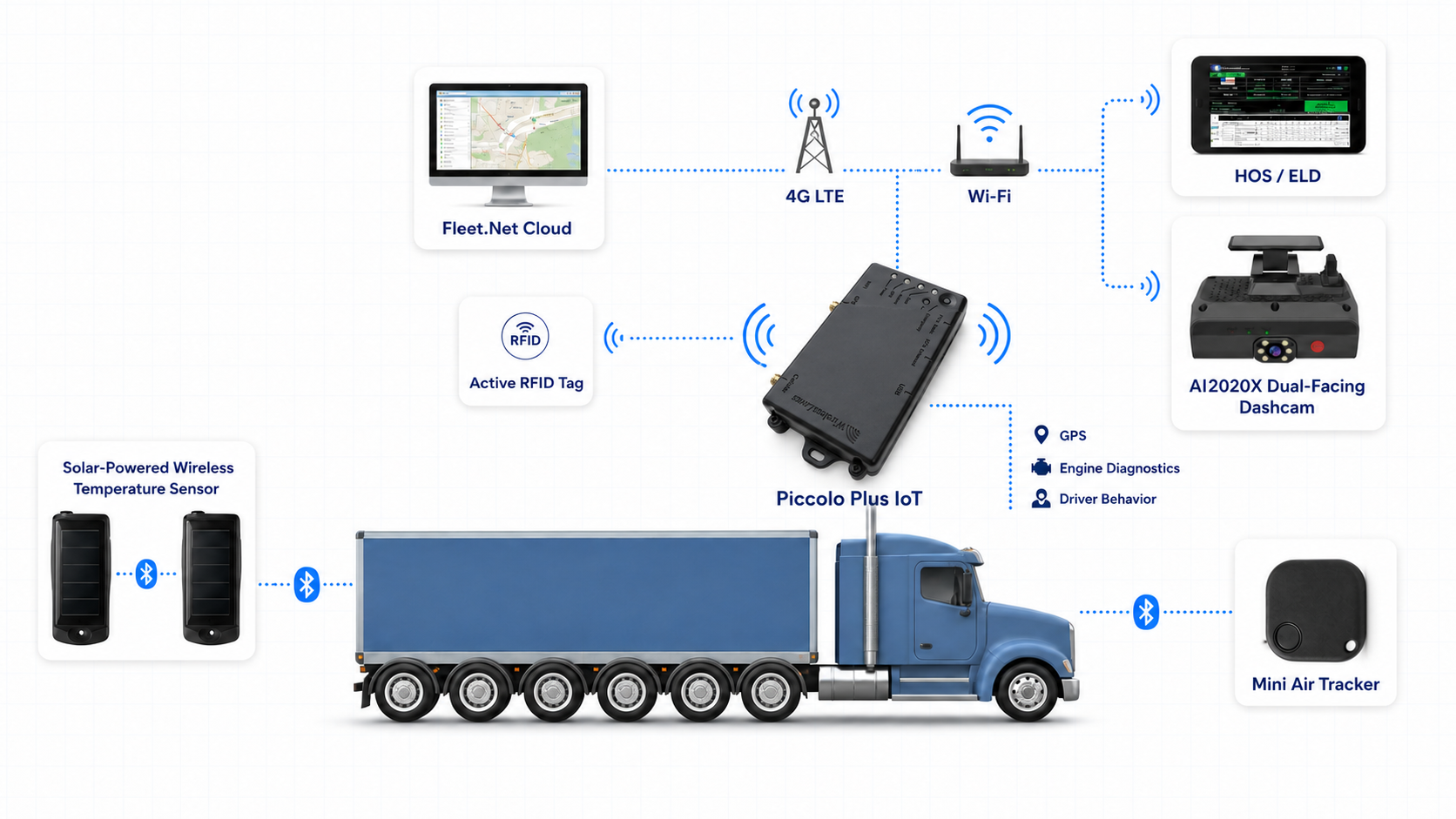
Combine GPS tracking, vehicle data, an in-cabin Wi-Fi hotspot, and IoT gateway capabilities in one Piccolo Plus device for supported tablets, cameras, sensors, and Fleet.Net communications.
Select a feature below to inspect live interface views and core operational capabilities built into Fleet.Net.
See exactly where every vehicle and trailer is, in real time. Interactive maps with speed, heading, and route history let dispatchers optimize delivery windows and respond to delays instantly. Set geofence boundaries to receive automated alerts when assets enter or leave designated zones, reducing unauthorized usage and improving accountability across your entire operation.
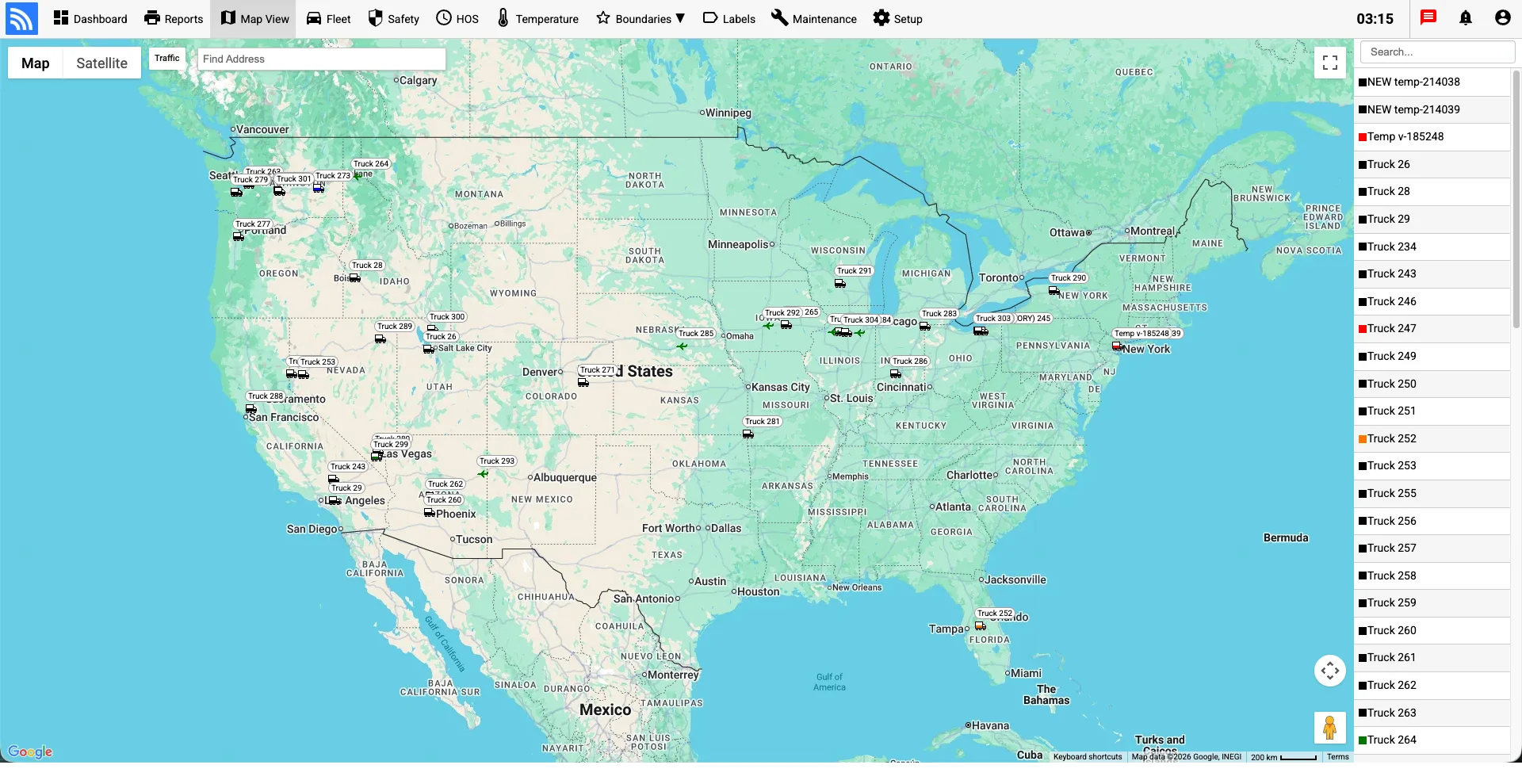
Understand trailer utilization, inactivity, dwell, and detention so teams can rebalance inventory and identify underused assets. Location-based reports and mismatch alerts provide better context for billing, dispatch decisions, and delivery exceptions.
Connect supported temperature probes to refrigerated vehicles, trailers, containers, cold rooms, and temperature-sensitive cargo. Configure thresholds, receive exception alerts, and review historical temperature and location records that support quality and compliance workflows.
Automate preventive maintenance workflows based on engine hours, mileage thresholds, and diagnostic trouble codes. Track service history, upcoming inspections, and cost analytics in one centralized dashboard. Vehicle health scores help fleet managers prioritize high-risk units and prevent roadside breakdowns that disrupt delivery schedules and increase operational costs.
Combine compatible road- and driver-facing cameras with telematics events such as harsh braking, speeding, and configured AI detections. Safety teams can review event-linked footage, identify patterns, coach drivers, and investigate incidents with a clearer operational record.
Adjust your fleet size to estimate annual cost reductions achieved through fuel optimization, preventive maintenance alerts, and AI accident prevention.
Fleet.Net brings vehicle, asset, camera, sensor, and driver data together in one cloud-based platform. Teams can monitor operations, review activity, manage exceptions, and share authorized data with the systems they already use.
Common questions regarding the Fleet.Net software platform, integrations, and deployment.