
Connect compatible BlueLink or Piccolo hardware with a driver-focused app for duty status, inspections, log review, and supported data transfer. Confirm the applicable rule set and registered configuration for each deployment.
DriverLog supports fleets that need a focused ELD workflow as well as organizations connecting logs with Fleet.Net, vehicle tracking, inspections, cameras, and other telematics capabilities. Hardware and cabling are selected according to the vehicle and registered configuration.
Pair the app with compatible hardware as part of our ELD solutions, and review fleet operations in Fleet.Net fleet management software.
DriverLog configurations are listed on the FMCSA registry; fleets remain responsible for selecting the correct rule set and operating the system properly.
Unified platform for fleet tracking, asset tracking, AI dashcams, and temp monitoring.
Supports English, Spanish, French Canadian, and Mandarin Chinese.
For dealers and integrators—easily integrate into 3rd party apps with 1 click.
Eliminates HOS violation anxiety and communication friction.
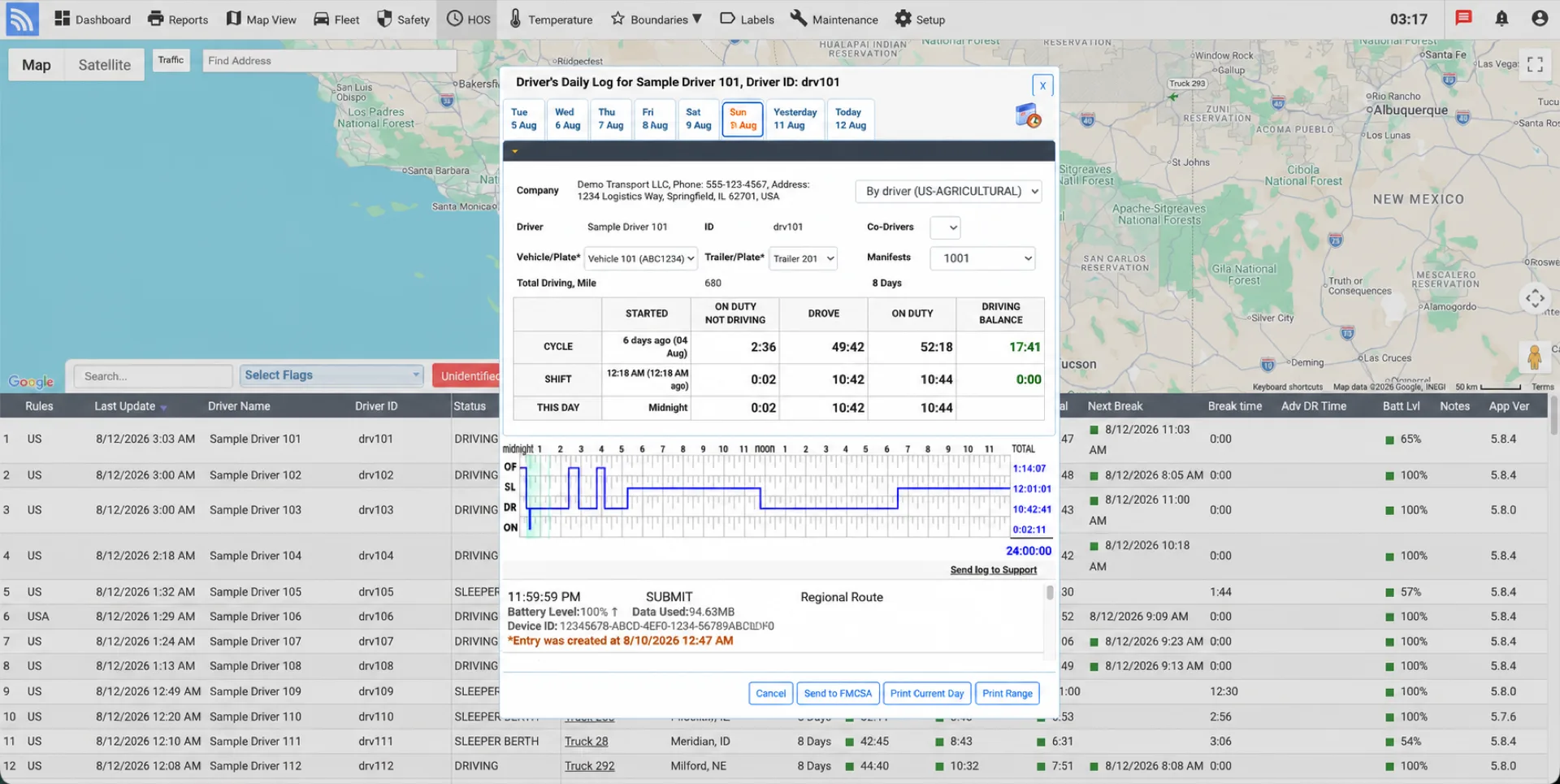
Designed for drivers, with a similar look and feel to traditional paper logs, the DriverLog ELD log book makes it simple for drivers to view their current and remaining on-duty status for their shift and cycle.
Drivers on the road have no time to learn complex apps. When designing DriverLog, we focused on simplicity. Our DriverLog ELD allows your drivers to control all their statuses from one simple button—allowing them to easily change duty status at the push of a button with no complex menu navigation needed. Plus, DriverLog automatically updates their status when driving starts and stops.
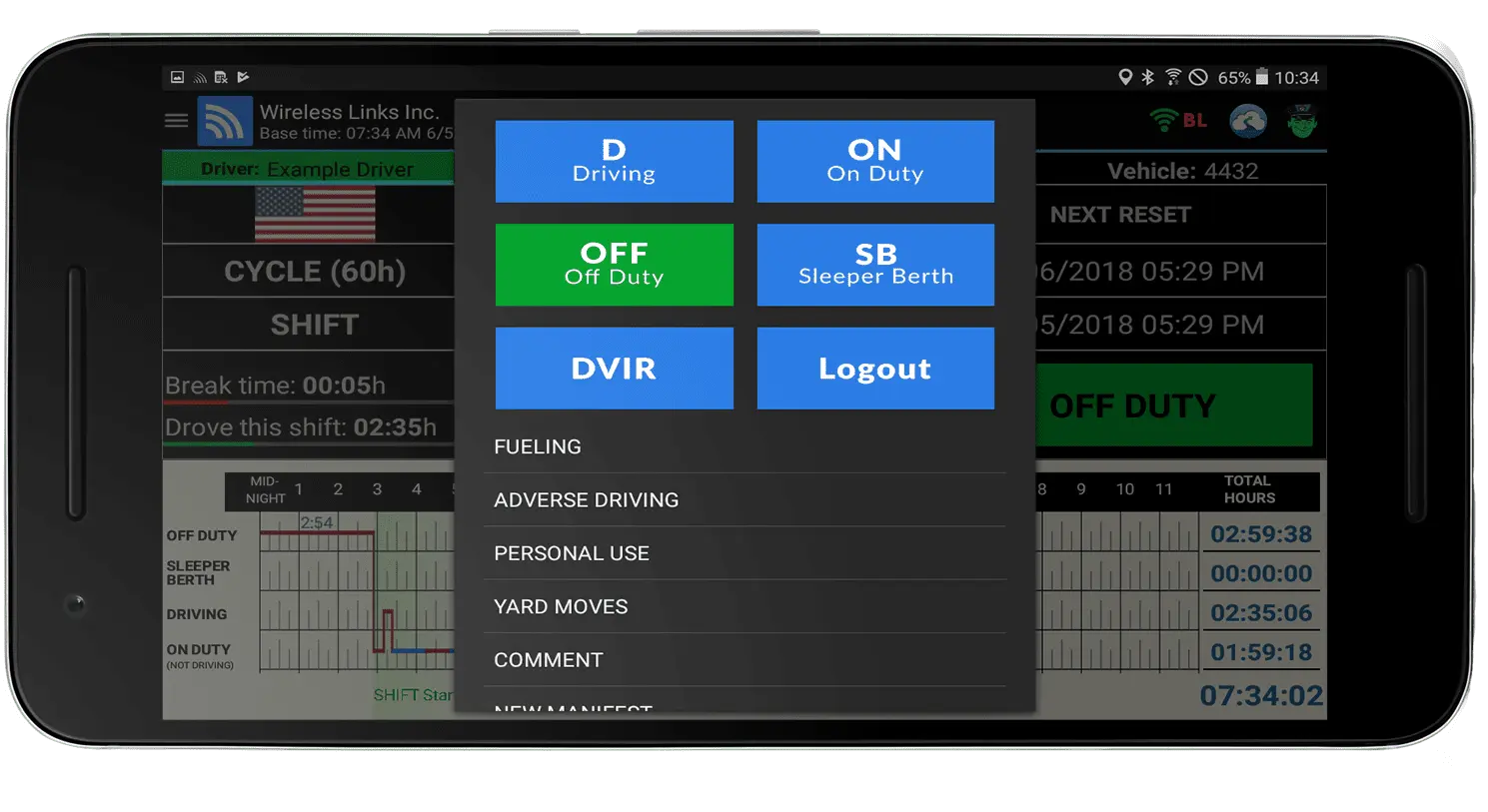
DriverLog effortlessly records duty statuses for co-drivers, allowing them to easily access their information to review logs or check remaining time while the primary driver's logs run actively. Transitioning between team drivers is a breeze with just a simple click.
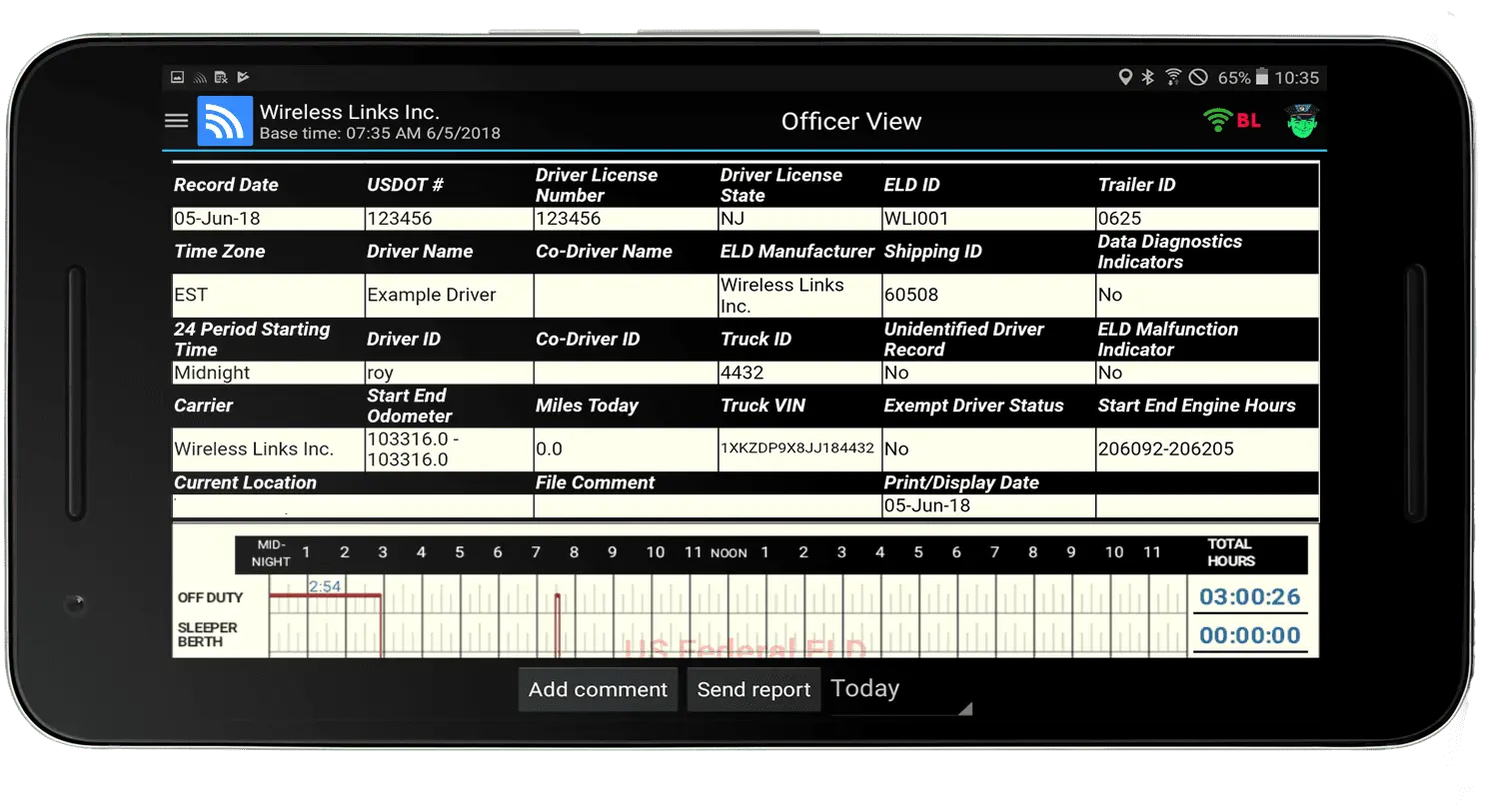
During roadside inspections, the protected officer view gives authorized officials access to the display and transfer workflow supported by the registered configuration.
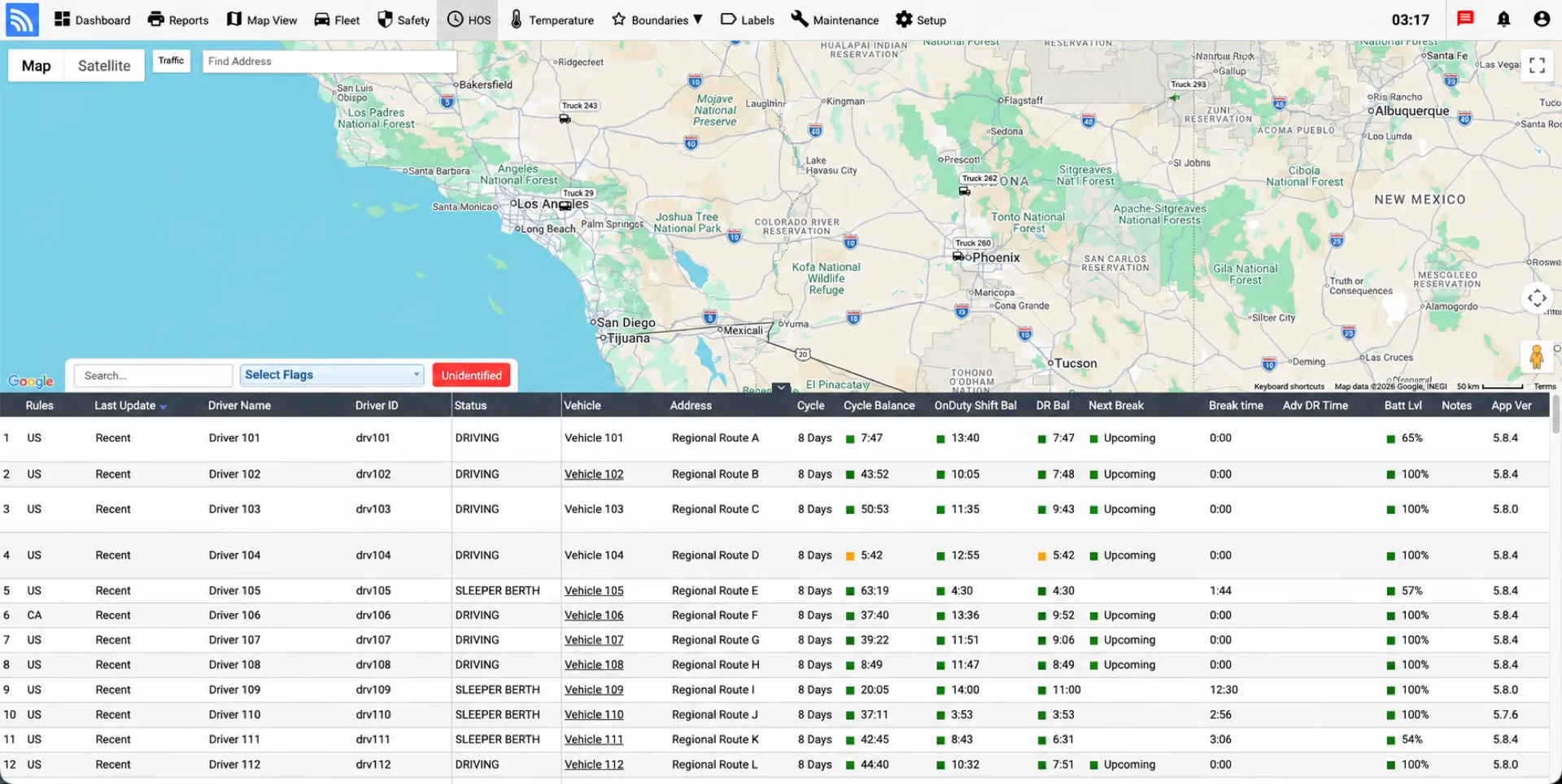
Our Powerful Fleet.Net Cloud Platform allows you to easily gain real-time HOS visibility across your fleet, view current and historical HOS statuses, suggest edits, and handle unidentified driving events to prevent violations.
Get a real-time view of current and historical HOS data across all your drivers. Suggest edits to your drivers' logs and easily handle any unidentified driving events before DOT audit risks occur.
Simplify your life with automatic IFTA fuel tax reporting, featuring total miles traveled, analysis of toll vs non-toll road usage by state, and fuel transactions—automatically emailed to your inbox every quarter.
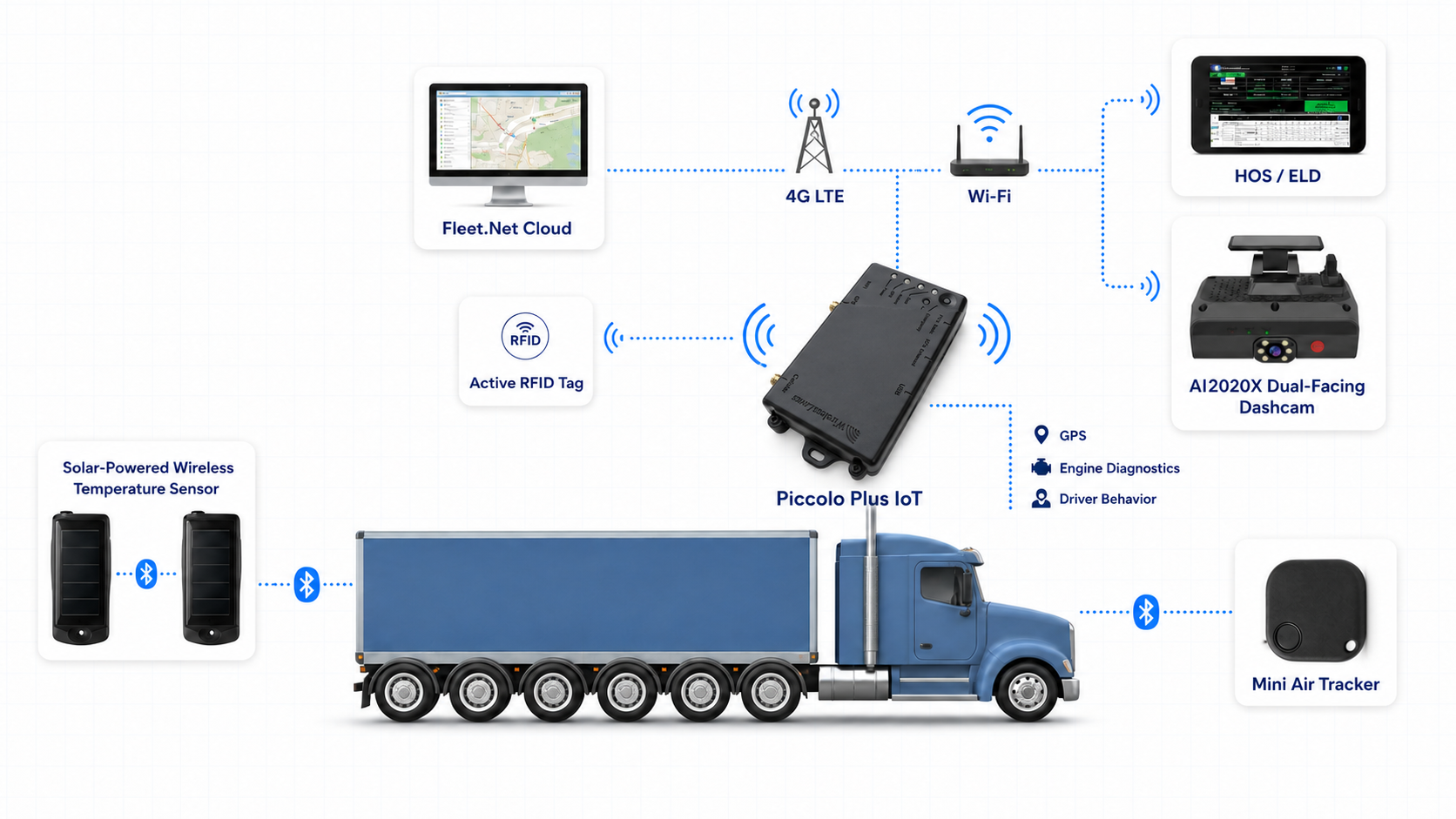
Our range of ELD devices caters to your specific needs, whether you are looking for standalone ELD compliance or an integrated all-in-one solution with GPS tracking, AI dashcams, and cold chain temperature monitoring.
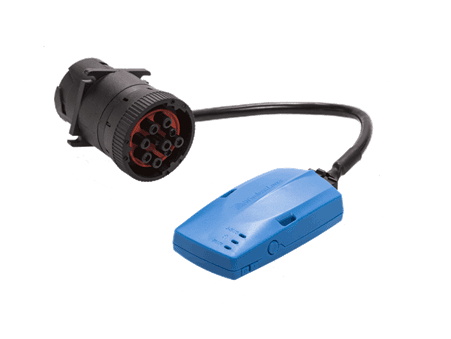
Compatible with J1939, J1708, and OBD-II engine ports. Sends GPS and ECM data via BLE to the DriverLog app without interfering with existing telematics installations.
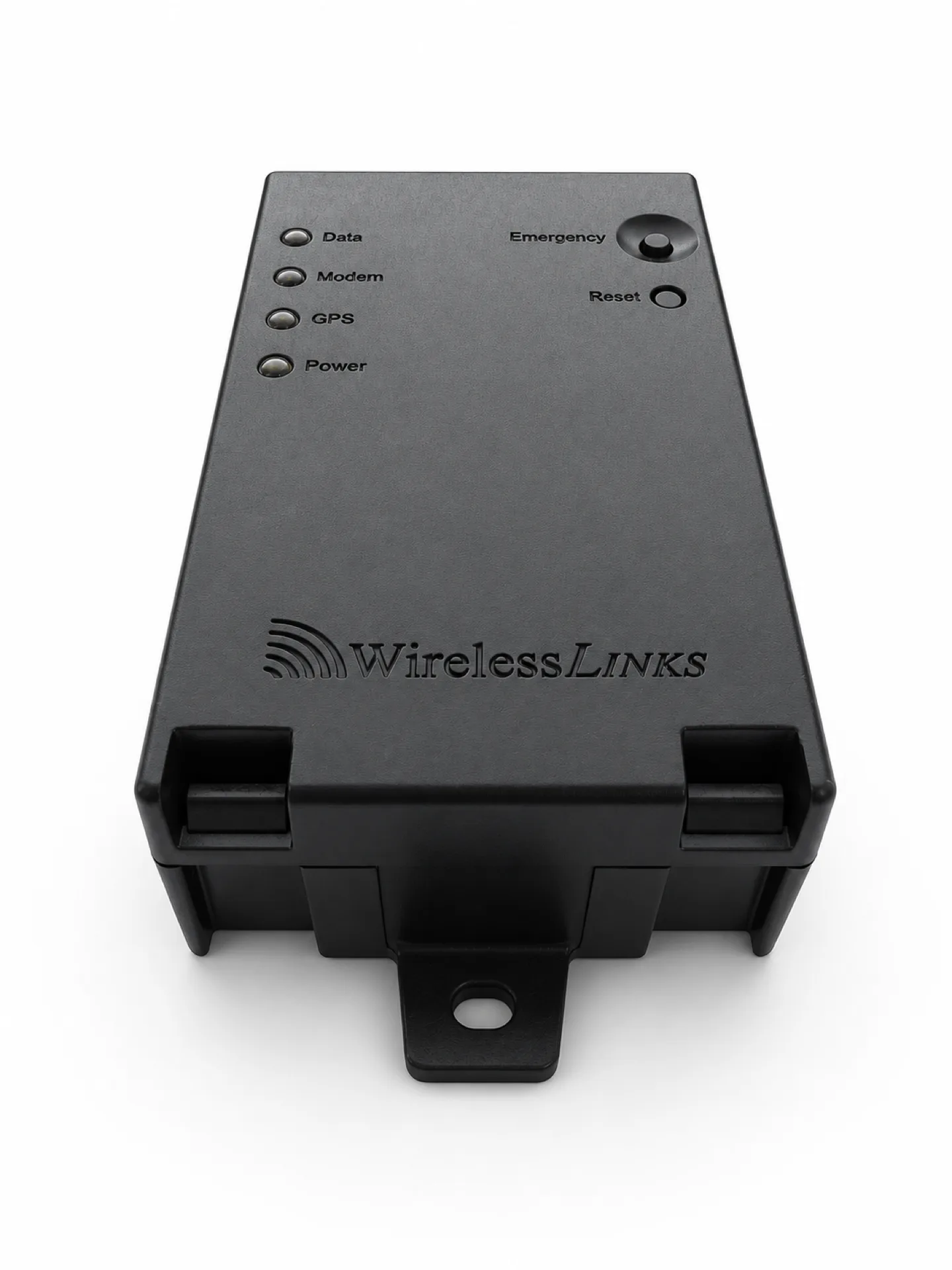
Connect vehicle location, engine diagnostics, and supported sensors to Fleet.Net, with Bluetooth connectivity for compatible DriverLog configurations.
In-cabin Wi-Fi hotspot enables fleets to meet the ELD mandate without extra cellular data costs by paying for ONE SIM for both fleet management and ELD logging.
Connect driver hours-of-service logs, vehicle activity, and Fleet.Net visibility in one workflow.
We’ll help you select compatible hardware, connectivity, and the DriverLog configuration for your fleet.
DriverLog configurations using BlueLink or Piccolo Plus are currently listed as provider self-certified and registered on FMCSA’s U.S. registry. Verify the exact hardware and software version before purchase. Canadian deployment requires an active third-party certification on Transport Canada’s list and must be confirmed separately.
DriverLog runs on Android smartphones and tablets (Android 7.0+) as well as Apple iOS devices (iOS 12.0+). The app includes multi-language support for English, Spanish, French Canadian, and Mandarin Chinese.
DriverLog includes an officer-view workflow and supports the transfer methods documented for its FMCSA listing. Drivers and administrators should be trained on display, transfer, malfunction, and supporting-document procedures before deployment.
White-label or integration options may be available for qualified dealers, resellers, and integrators. Branding, registration, technical scope, support, and commercial terms must be reviewed for each program.
Contact our team for a personalized demo, volume pricing breakdown, and plug-and-play BlueLink hardware deployment.
Talk to an ELD Specialist