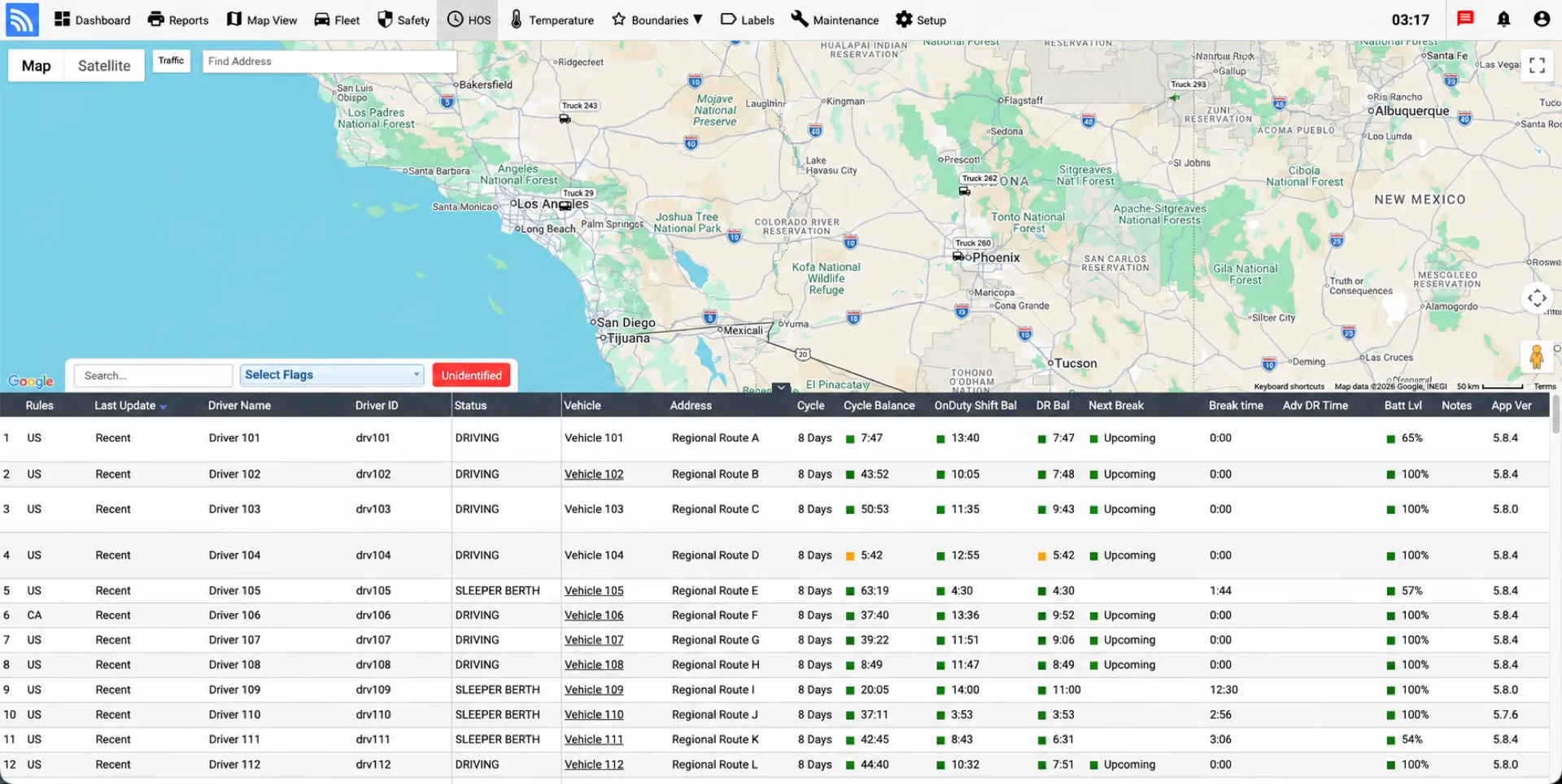
Give drivers a clear way to manage duty status, review hours, complete inspections, and present logs during roadside checks. Fleet teams can monitor HOS, exceptions, and vehicle activity through Fleet.Net.
Browse specialized hardware, mobile applications, federal regulations, agricultural exemptions, cross-border rules, and contract buyout opportunities.
Intuitive mobile application for iOS & Android. Provides automated duty status timers, digital pre-trip/post-trip DVIRs, and instant single-tap roadside DOT officer sharing.
Compatible BlueLink and Piccolo hardware connects DriverLog with supported light- and heavy-duty vehicle interfaces. Select the device and cable configuration appropriate to the vehicle and deployment.
Detailed regulatory guide for agricultural commodity and livestock transporters. Includes 150 air-mile exemptions, harvest season flexibility, and FMCSA exception rules.
Evaluating a transition from another ELD provider? Wireless Links can review eligible contract obligations, fleet size, hardware needs, and available transition incentives.
DriverLog gives drivers a visual duty-status timeline and a dedicated officer-view workflow. Supported data-transfer methods are available for roadside inspections according to the registered DriverLog configuration.
During a roadside inspection, drivers need access to required logs, instructions, and supporting information. DriverLog includes an officer-view workflow and supports the data-transfer methods listed for the registered solution on the FMCSA ELD registry.
Learn more about the different DOT roadside inspection levels.
Fleets should train drivers on the documents, instructions, and supporting information required for their operation. Requirements can vary, so current FMCSA guidance and company policy should be reviewed before deployment:
Automated tracking of the four core FMCSA HOS regulatory constraints.
Read the guides to daily driving hours and recap hours and rolling cycles for related explanations.
Drivers may drive a maximum of 11 cumulative hours after 10 consecutive hours off duty. Once the 11-hour limit is reached, driving is automatically flagged to prevent unsafe operation.
Establishes a strict 14-hour consecutive shift window once work begins. Driving cannot resume past 14 hours until a full 10-consecutive-hour rest break is logged.
Requires a continuous 30-minute off-duty break after 8 cumulative hours of driving time. The in-cab tablet delivers voice and visual alerts prior to the 8-hour threshold.
Monitors cumulative limits of 60 hours in 7 days or 70 hours in 8 days. Automatically calculates 34-hour restart cycles for efficient fleet dispatch planning.
Combine DriverLog workflows with compatible GPS tracking, vehicle data, inspections, and reporting so compliance and operations teams can work from a more complete record.
Explore the wider Fleet.Net platform and our introduction to IFTA fuel tax reporting.
Eliminate manual trip sheets. Automatically track jurisdiction mileage, toll vs. non-toll distances, and fuel receipts with automated end-of-quarter email reports.
BlueLink hardware stores all engine telemetry and geofences on local solid-state flash storage when driving through zero-cellular coverage zones, syncing automatically upon reconnection.
Prevent audit citations for unassigned vehicle movement. Dispatchers can review, reconcile, and assign unrecorded driving events via a secure cryptographic audit trail.
Everything you need to know about the FMCSA ELD Mandate, device installation, exemptions, and compliance.
For related background, see ELD exemption categories and the AOBRD vs. ELD comparison.
The ELD HOS mandate (or ELD Final Rule) is a U.S. federal regulation specifying that commercial motor vehicle operators required to maintain Records of Duty Status (RODS) must use FMCSA-certified Electronic Logging Devices (ELDs). The hardware synchronizes with the vehicle engine to automatically record driving time, engine hours, movement, and location.
ELD devices automatically record the following data points to maintain compliant Records of Duty Status (RODS):
The mandate applies to interstate commercial motor vehicle operations required to keep hours of service records (previously using paper logbooks). This includes:
Exemptions include:
No. Drivers who operate under the Short-Haul exception (within 100 air miles for CDL drivers or 150 air miles for non-CDL drivers) and return to their work report location daily are exempt from using ELDs and can maintain daily timecards.
No. Installation is plug-and-play and requires no tools or custom wiring. The BlueLink hardware plugs directly into your truck's diagnostic port (OBD-II for light duty or 9-pin/6-pin Deutsch J1939 for heavy duty). Once plugged in, the hardware pairs via Bluetooth LE to the driver's mobile app.
In the United States, providers self-certify ELD solutions and register them with FMCSA. DriverLog configurations using BlueLink or Piccolo Plus are currently shown on FMCSA’s registered-device list. Fleets should verify the exact device, software version, and current listing before deployment. Canadian use requires a separately active third-party certification on Transport Canada’s list and should be confirmed for the proposed configuration.
Yes. DriverLog ELD automatically generates comprehensive IFTA reports including total state distance, toll road breakdowns, and fuel purchases. Reports can be scheduled to automatically arrive in your email inbox at the end of every quarter.
Tell us where your fleet operates, which vehicles you use, and what systems must connect. We’ll help verify the applicable DriverLog configuration, hardware, service, and transition requirements.