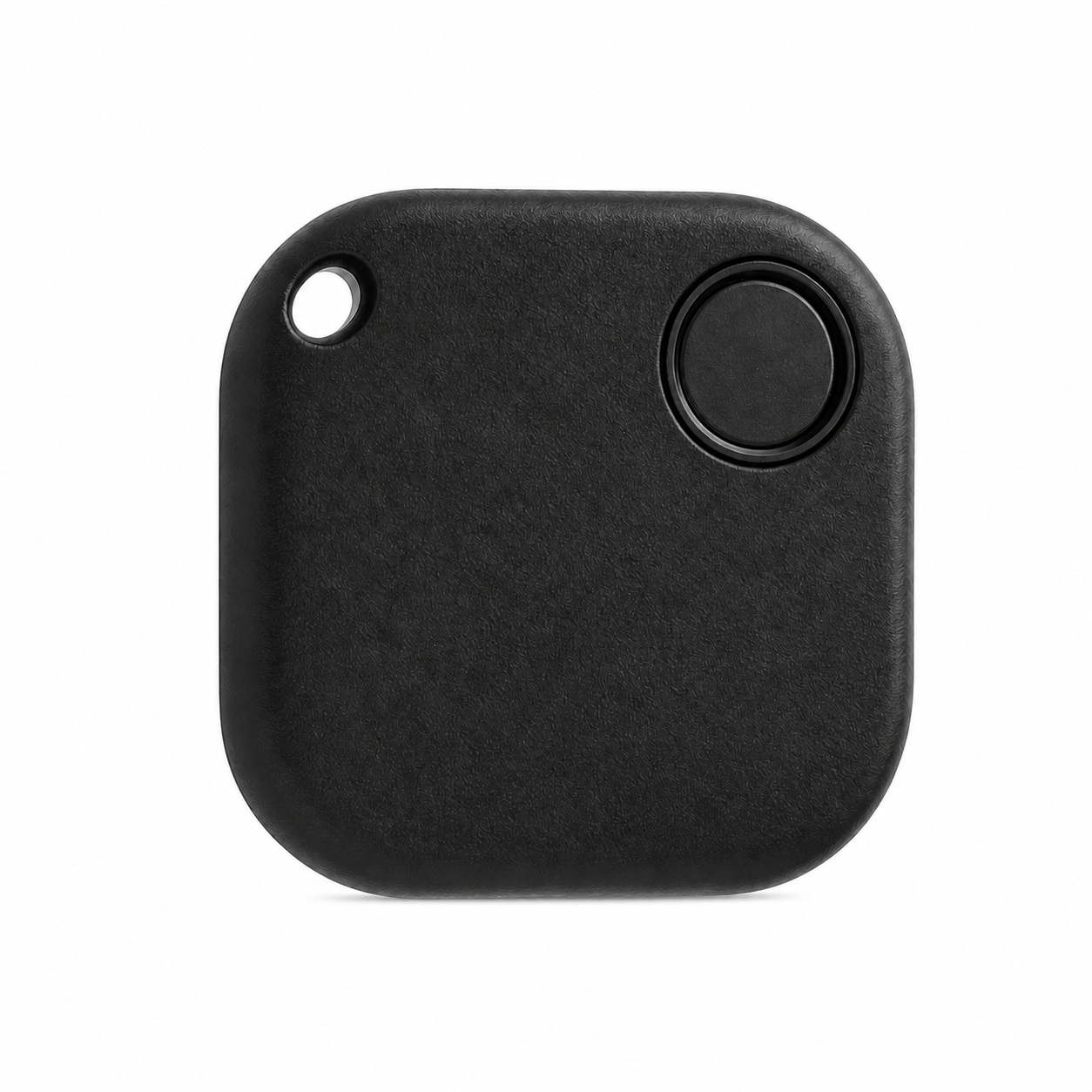
 Compact Fleet.Net tracker
Mini Air Tracker
Compact location history, battery status, and alerts for carts, monitors, pumps, cases, and other portable devices.
View Mini Air Tracker →Best for: portable clinical equipment
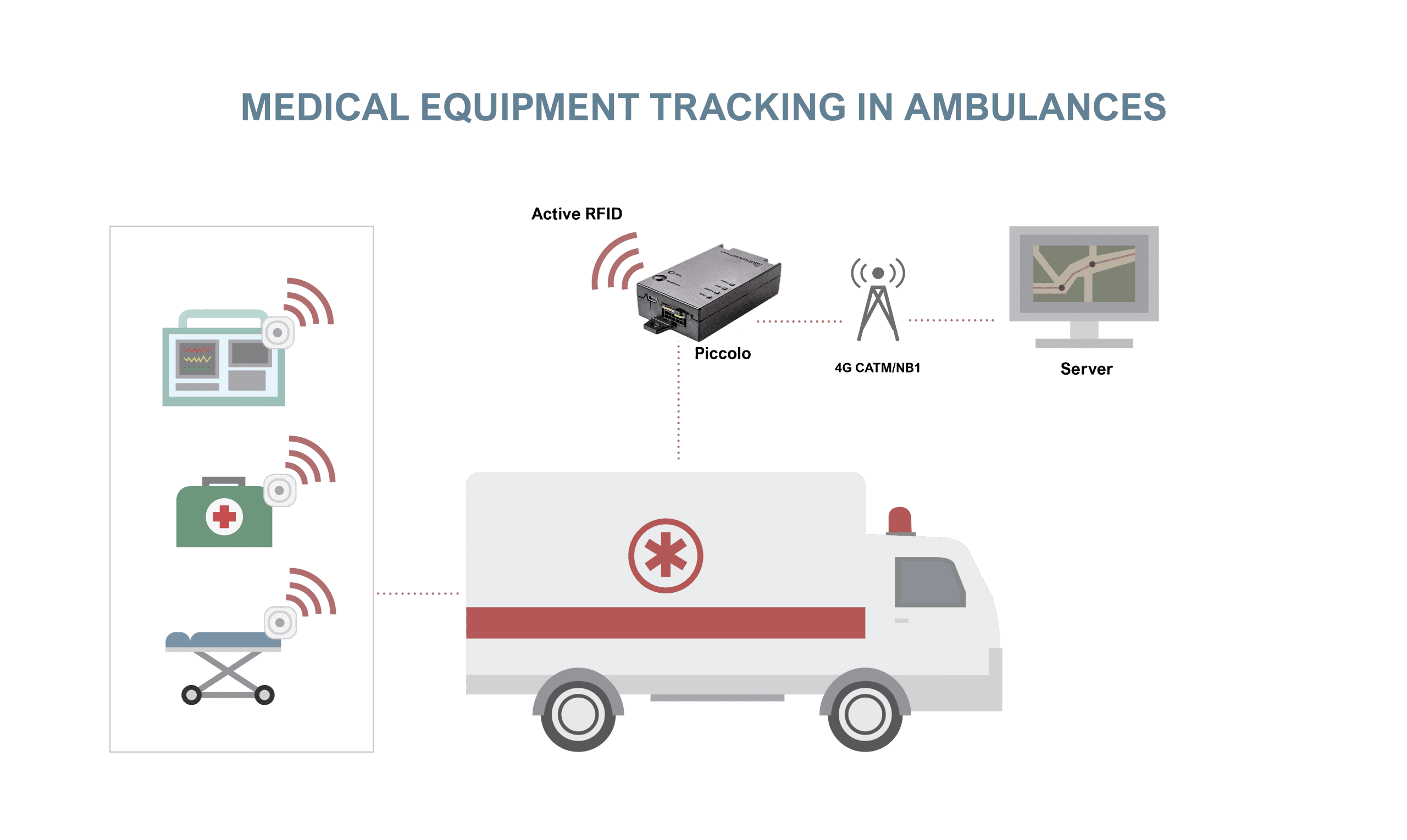
Locate high-value medical equipment across hospitals, campuses, service vehicles, and storage areas. Wireless asset tags help teams reduce search time, improve utilization, and maintain a clearer inventory of mobile clinical devices.
Designed for healthcare operations
Track mobile diagnostic equipment, carts, devices, and other high-value assets across healthcare facilities using compact wireless tags and connected gateways.
Give clinical, service, and operations teams a shared view of equipment location and movement history so critical devices can be found faster and returned to service sooner.
Improve utilization, reduce unnecessary purchases, support rental and lease accountability, and identify equipment that has moved outside designated areas.
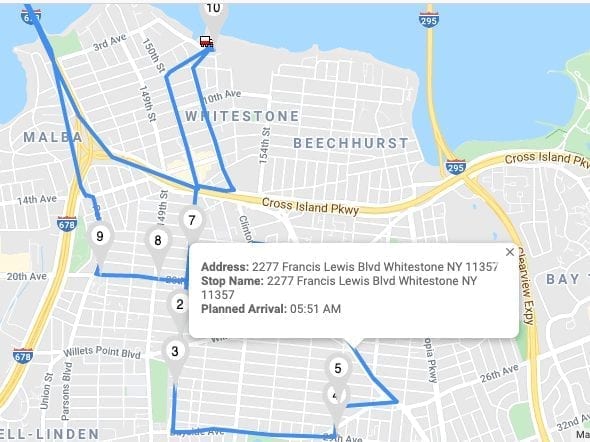
DriverLink can extend the workflow with ambulance routing, two-way messaging, and progress visibility, while Fleet.Net inventory reports help operations teams identify available equipment and maximize uptime.
Actionable Reporting & ROI Insights:
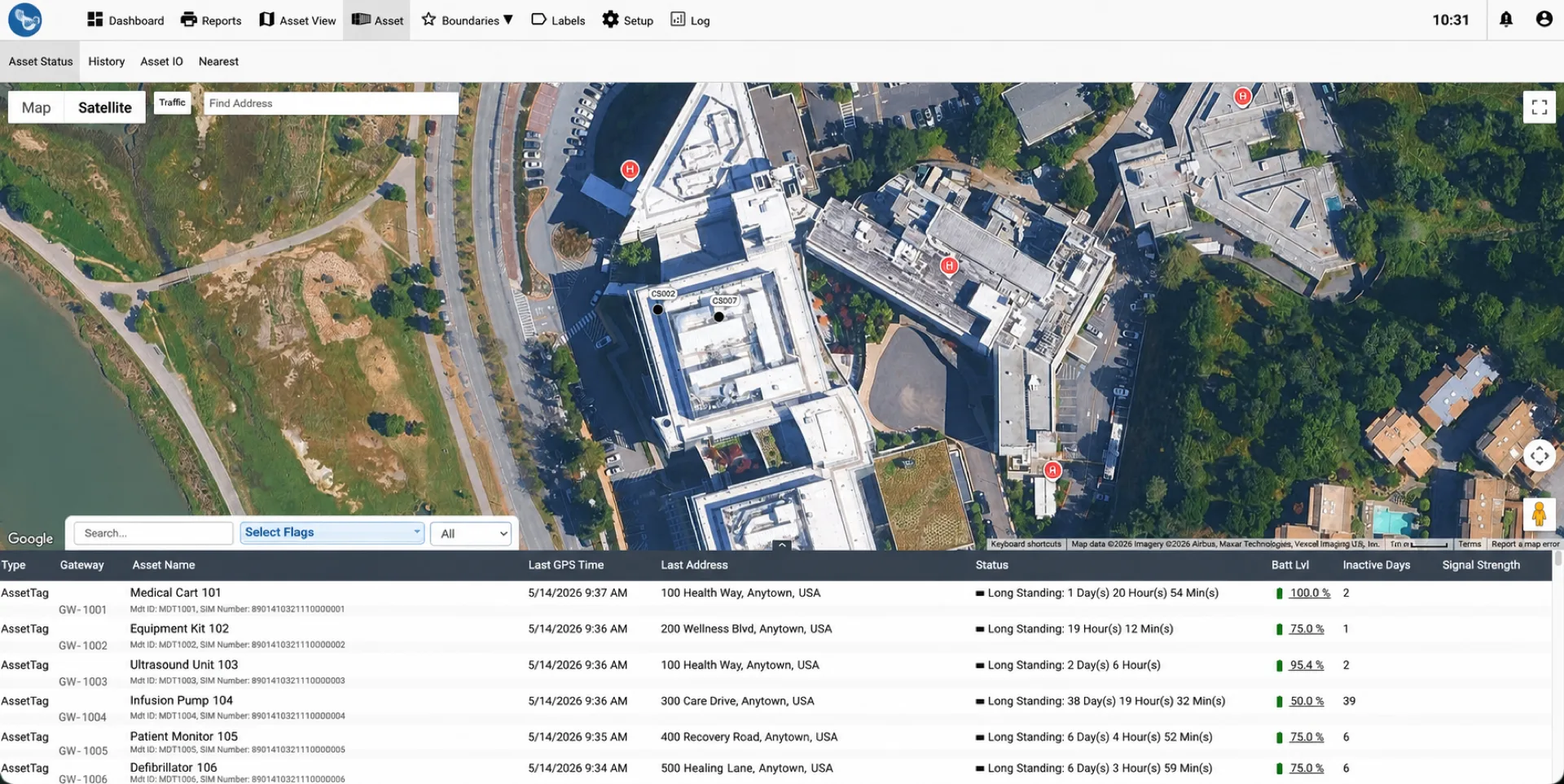
Review the latest available detection location and time for tagged medical equipment in Fleet.Net.
Help staff locate available carts, monitors, pumps, cases, and other portable equipment with less searching.
Review the locations and timestamps reported when nearby compatible smartphones detected each Air Tracker.
Notify designated teams when supported movement, zone, or equipment-status conditions require attention.
Choose compact equipment trackers, Mini IoT tags, waterproof tags, and DriverLink according to equipment size, cleaning exposure, and mobile-care workflow.
Compact Fleet.Net trackerCompact location history, battery status, and alerts for carts, monitors, pumps, cases, and other portable devices.
View Mini Air Tracker →Best for: portable clinical equipment Replaceable-battery BLE tag
Small 1.41-inch tag with a replaceable coin-cell battery rated for up to 16 months and proximity detection through compatible gateways.
Configure Mini IoT Tags →Best for: compact indoor equipment IP67 sealed BLE tag
Sealed tag for cleaning and field environments, with a non-replaceable battery rated for up to three years.
Configure Waterproof Tags →Best for: ambulances and washable equipment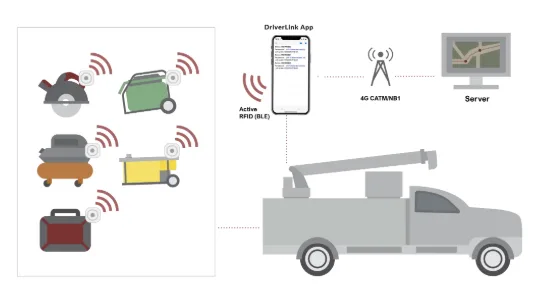 Mobile app + IoT gateway
Use a compatible smartphone to detect Mini IoT equipment tags, review inventory, and receive left-behind alerts. Connect mobile teams with GPS tracking and two-way messaging.
View DriverLink →Best for: mobile care teams and equipment handoffsAttach a Mini Air Tracker to your equipment and activate it in Fleet.Net. Its Bluetooth signal is detected by nearby compatible smartphones, which relay a timestamp and approximate location to the cloud. You do not need to install a Piccolo gateway or run DriverLink for Air Tracker location reporting.
Secure a compact Mini Air Tracker to each cart, monitor, pump, case, or other medical asset that needs location visibility.
Register the tracker in your Fleet.Net account and associate it with the equipment so your team can identify and manage the asset.
The Air Tracker broadcasts a Bluetooth signal. Nearby compatible smartphones detect it and relay the detection time and approximate location—without requiring your own Piccolo gateway or DriverLink app.
View the latest reported location, location history, battery status, and configured alerts in Fleet.Net. Updates depend on nearby compatible-device detections; this is not continuous room-level GPS tracking.
Connect compact equipment tags, ambulance gateways, DriverLink, and Fleet.Net to improve accountability without adding a complex room-level RTLS deployment.
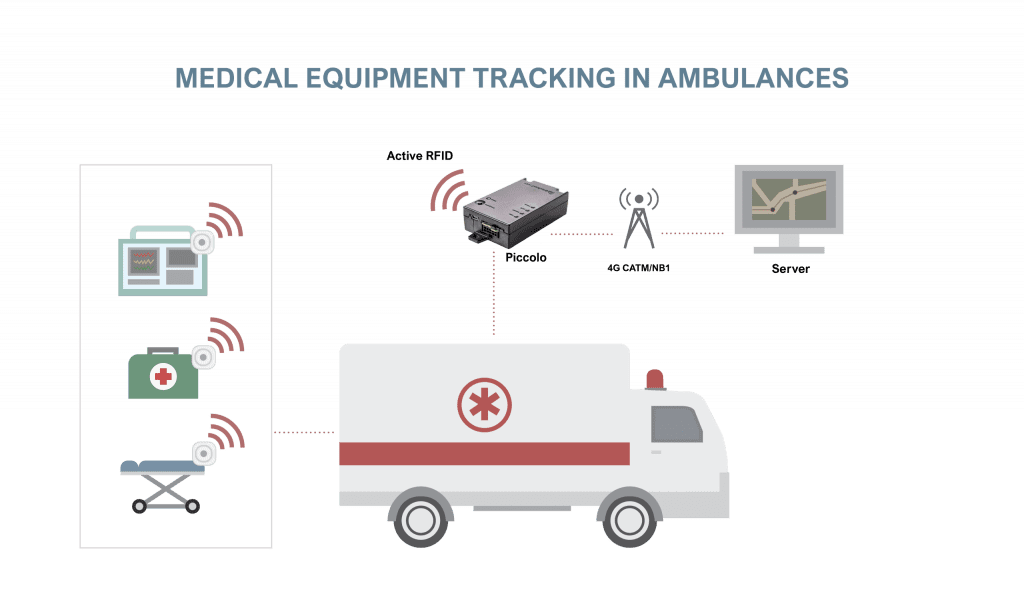
A compatible ambulance gateway records when and where tagged equipment is detected, helping teams review pickup, drop-off, last-known location, and the vehicle or user associated with the handoff.
Configure workflows to alert the team when tagged equipment is no longer detected as an ambulance departs, helping crews recover critical devices before leaving a facility.
A compact 1.41 × 1.41 × 0.22-inch tag with a replaceable coin-cell battery rated for up to 16 months and a typical detection range of up to 50 feet in suitable conditions.
An IP67 sealed option for tougher cleaning and field environments, with a non-replaceable battery rated for up to three years and a typical detection range of up to 50 feet in suitable conditions.
Fleet.Net shows the most recent time and approximate location reported when a compatible nearby smartphone detects the Air Tracker. Staff can use that information to narrow the search for carts, monitors, pumps, cases, and other portable equipment. Mini Air Tracker does not require your own Piccolo gateway or DriverLink app.
For connected ambulance workflows, the dashboard also brings together equipment pickup, drop-off, location, and the person associated with each handoff.
Using DriverLink Driver App, dispatchers can send messages to drivers (or an entire fleet) and easily track ambulance route progress in real time, removing the need to place multiple phone calls.
Review where equipment is repeatedly detected and how often it appears across supported locations. This history helps teams identify distribution gaps, investigate missing equipment, and make better allocation, rental, and purchasing decisions.
Use detection history to review how tagged equipment moved between supported locations. Configure notifications for selected movement, zone, or equipment-status conditions that require follow-up.
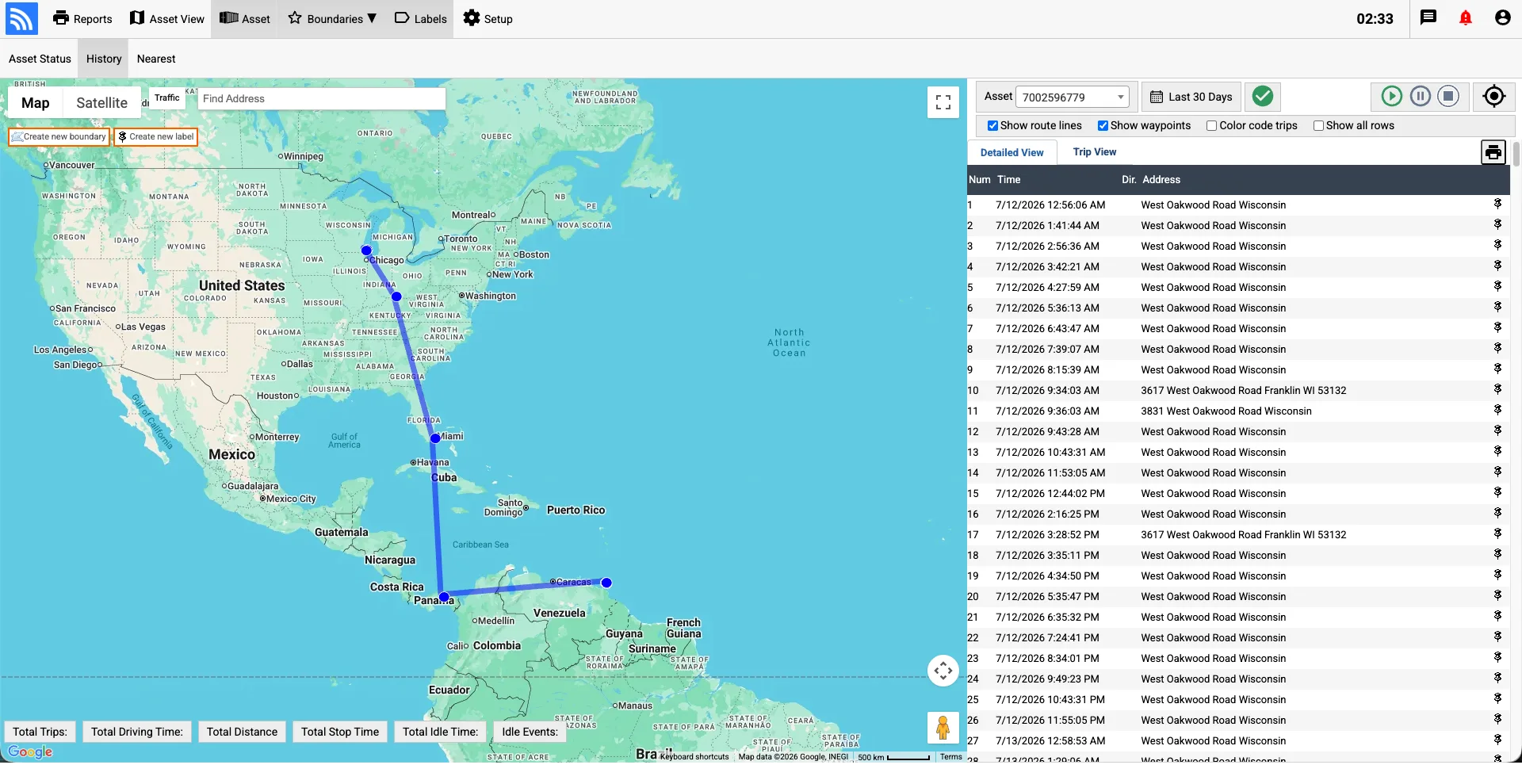
Review the latest reported equipment locations and detection history to understand where assets are concentrated, which areas may be short on equipment, and where staff should look before renting or purchasing additional units.
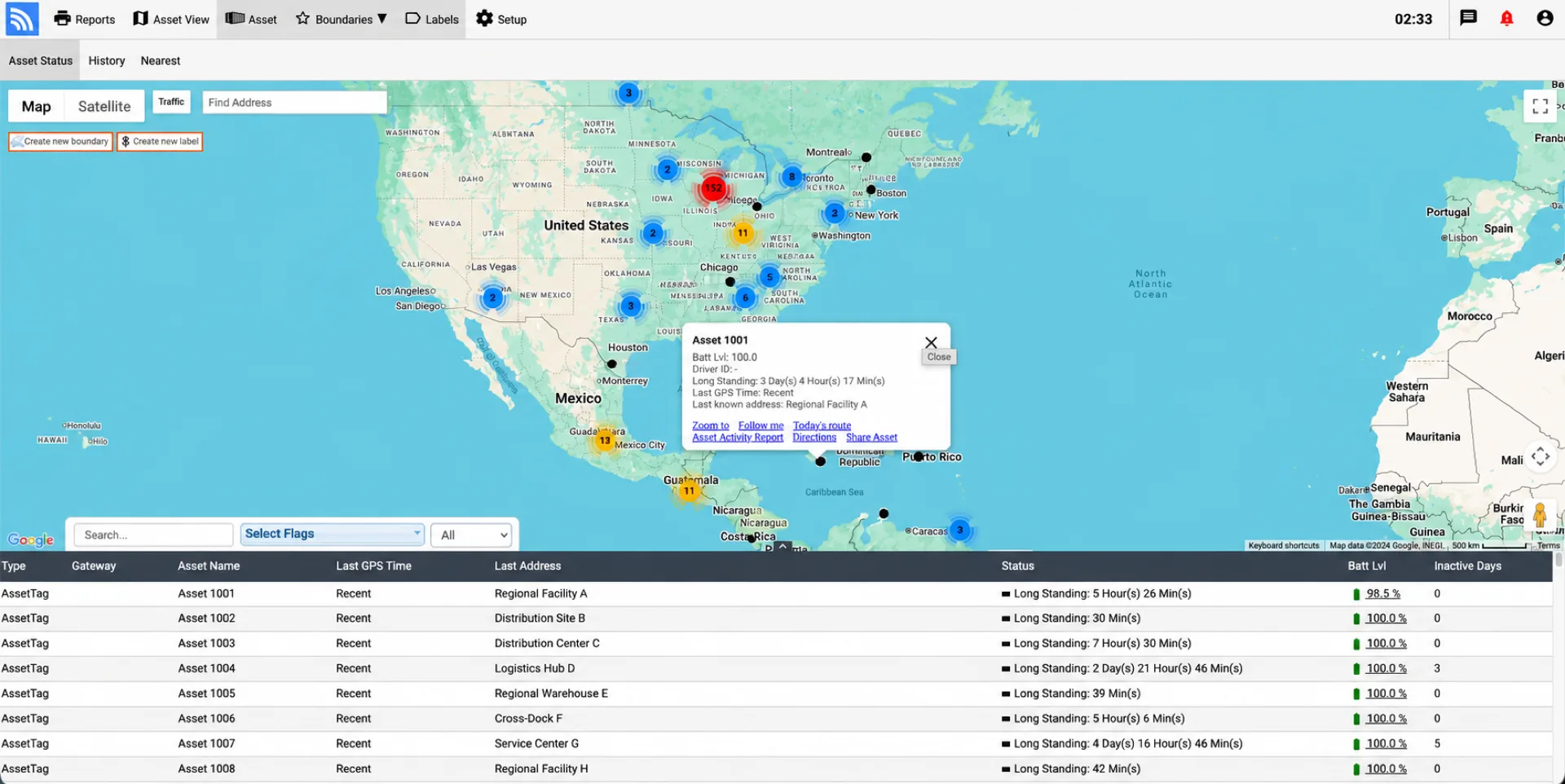
Designed for complex clinical operations, our tracking systems keep essential diagnostic gear and emergency vehicles connected.
Find answers to common operational, installation, and deployment questions.
Mini Air Tracker broadcasts Bluetooth signals that compatible nearby devices can detect and forward to Fleet.Net. This provides last-known location and movement history for portable medical equipment without requiring a cellular tracker on every item.
Air Tracker updates depend on detections by nearby compatible smartphones. Fleet.Net shows the latest reported location and history without requiring your own Piccolo gateway or DriverLink app. Mini IoT tags use a separate compatible-gateway or DriverLink workflow. Neither should be confused with continuous room-level RTLS.
Battery life depends on the selected Air Tracker, detection frequency, operating environment, and cloud-service configuration. Our team can recommend the appropriate option for your equipment program.
Mini Air Tracker is the compact choice for portable equipment and indoor workflows. Solar Air Tracker is intended for larger outdoor assets that benefit from a rugged enclosure and integrated solar charging.