From the rear to the cab, wirelessly.
On a 15–30 ft truck, a wired installation can involve a long route through bodywork and around the chassis. The wireless video link removes that camera-to-receiver cable run.

Wireless Camera Link. Simple installation.
Add the views your truck needs—without the hassle of routing long video cables from every camera back to the cab.
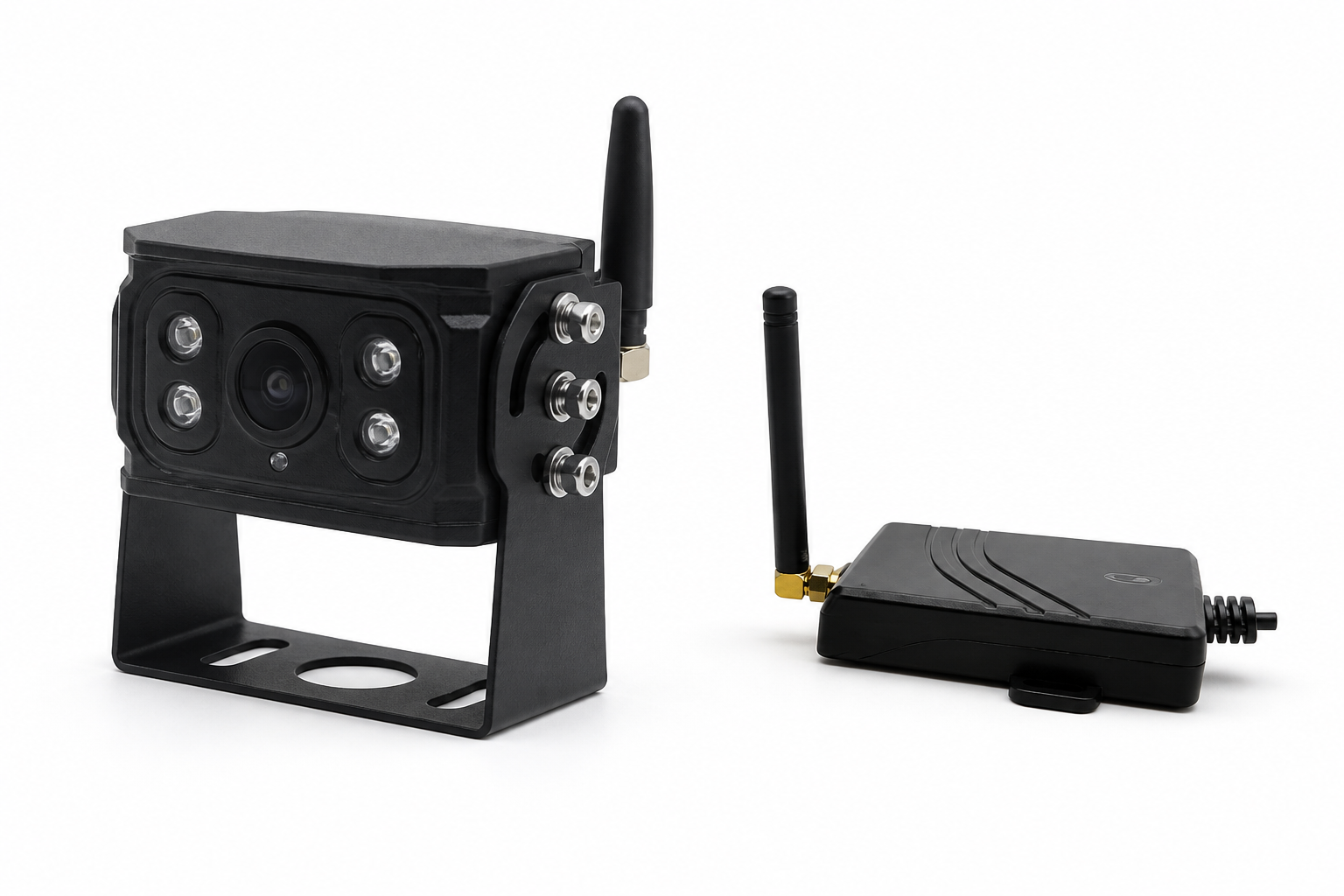
Built around the installation
Getting a camera into position should not mean threading a video cable around the entire vehicle.
On a 15–30 ft truck, a wired installation can involve a long route through bodywork and around the chassis. The wireless video link removes that camera-to-receiver cable run.
Reduce the need to route, conceal and secure long video cables through the vehicle. Focus the installation on camera placement, local power and the receiver connection.
Plan rear, side or loading-area views around your truck’s layout. Confirm camera placement and wireless reception on the vehicle before completing the installation.
The wireless link replaces the long video cable—not the power supply. The camera and receiver still need suitable power connections.
A straightforward connection
The receiver brings the wireless camera view back to your compatible Wireless Links camera solution.
Position the camera for the view you need and connect suitable local power.
Install the receiver near the camera system and use the appropriate video connection.
Set up the wireless link, check the view and confirm reception on the actual vehicle.
One addition. Your camera ecosystem.
Use the wireless camera and receiver with our camera solutions—including AI2020X, MDVR and other Wireless Links camera configurations.
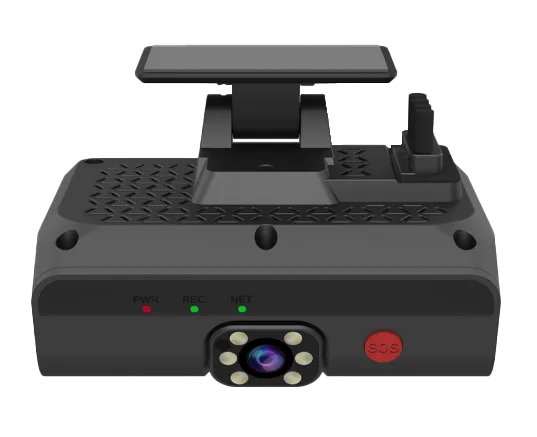
Add a wireless external view to your AI2020X setup, with the receiver connection configured for your system.
Explore AI2020X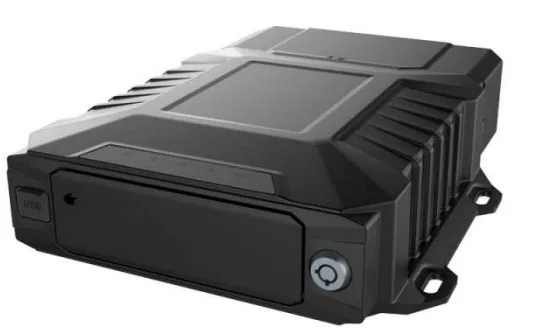
Bring a wireless camera view into an MDVR configuration alongside the other camera angles your fleet needs.
Explore MDVRWe’ll match the receiver interface, available camera inputs, power and installation layout to your configuration. Recording, live viewing and Fleet.Net features depend on the connected system.
Plan your setupBefore you install
Tell us the vehicle type, camera position and recording system. We’ll help put the right configuration together.
Talk to Our TeamLooking for the full explanation?
Read our complete wireless dash cam guide →
Yes. “Wireless” generally describes how video or data travels, rather than how the camera receives power. Dashcams may use Wi-Fi for a local connection or cellular service for remote access. This camera-and-receiver kit replaces the long video cable between an external camera and the receiver; power connections are still required.
A wireless dashcam generally still uses vehicle power through an approved hardwire connection or a suitable adapter. The exact arrangement depends on the device. For this camera-and-receiver setup, both units need suitable power; the wireless video link does not supply it.
An installer can secure the remaining power and connection cables along appropriate trim or cable routes for a neat finish. Follow the vehicle and camera installation instructions and keep cables clear of airbags, pedals and moving parts. The wireless camera link reduces the long video cable you would otherwise need to route.
A Wi-Fi dashcam can connect locally to a compatible phone or device for supported functions such as viewing footage, downloading recordings or adjusting settings. Wi-Fi alone does not mean the camera has internet access or works without power. For this product, the camera sends video to its receiver; recording and remote access depend on the connected AI2020X, MDVR or other camera system.
Some cameras use batteries, but operating time and recording behavior depend on the model. Do not assume a wireless dashcam is battery powered. This vehicle camera setup still requires power and a receiver-to-system connection; it eliminates the long camera-to-receiver video cable.
A wireless camera may be installed when its power, mounting and recording-system requirements suit the vehicle. This solution focuses on commercial trucks and fleet installations. Share your vehicle and system details so our team can confirm the right configuration.
Wireless vehicle cameras commonly use an appropriate vehicle power connection; some other camera designs use batteries or adapters. Follow the selected camera’s power requirements. Our camera and receiver each need suitable local power—do not assume the wireless link or the receiver powers the remote camera.
An action camera may be used to capture driving footage, but check the particular model’s power needs, mounting, storage management and recording behavior. Do not assume it provides the unattended recording, event management or fleet-system integration of a dedicated dashcam. For a fleet setup, compare those needs with AI2020X or MDVR.
Choose a compact camera, use a mounting position that keeps the driver’s view clear, and secure cables neatly along approved routes. Follow the manufacturer’s mounting instructions and keep safety systems unobstructed. A professional installer can plan the camera, local power and receiver placement together.
The wireless link simplifies installations that would otherwise require long video-cable runs around a truck. The 15–30 ft reference describes vehicle layouts, not a guaranteed wireless range. Confirm reception with the camera and receiver in their final mounting positions.
Yes. It works with our camera solutions, including AI2020X and MDVR. The receiver connection and available inputs must be matched to the system you use; our team can help specify the configuration.
The camera and receiver provide the video connection. Recording, remote viewing, event handling and Fleet.Net access are provided by the connected camera system and its selected configuration.
Let’s simplify your next installation
Tell us about your truck and camera system. We’ll help configure the wireless camera and receiver for your fleet.